IT Inventory Management Software: Know What You Own and Where It Is
IT inventory management software is the system that lists every laptop, desktop, monitor, phone, tablet and network device a company owns, with its serial number, assigned user, location and status. The best-known tools (Snipe-IT, Freshservice, InvGate and the spreadsheet most teams start with) are good at the list. They know far less about where a device physically is, because their location field is whatever someone last typed in or whatever network the device last checked in from.
Key takeaway: Use an IT inventory tool for the record and a discovery scan for devices that are online. Put a Find My tag on the devices that go offline or travel (loaners, iPad carts, field tablets, spare laptops in storage) so the inventory shows where they are, not just that they exist.
What IT Inventory Management Software Does
An IT inventory records what each device is, who has it, where it is and whether it is still in service. Software makes that list usable at scale in four ways.
| Function | How the software does it | Where it falls short |
|---|---|---|
| Recording hardware | Asset records with serial number, model, purchase date, warranty and cost | Someone has to create the record at receiving |
| Finding devices | Network discovery scans or an installed agent that reports hardware details | Sees only devices that are powered on and connected |
| Assigning devices | Check-out to a user, location or department, often with a barcode or QR label | Location is what was entered at check-out, and it goes stale |
| Reporting | Counts by model, age, warranty status and assignment | Reports are only as current as the last scan or scan-in |
The gap shows up in the third column. A laptop that is off in a drawer, an iPad cart moved to another building, a loaner that went home with a contractor and a field tablet left in a truck all keep their old location in the inventory until someone updates it.
IT Inventory vs IT Asset Management vs Location Tracking
These three get blurred together in vendor pages, and the difference decides what you buy.
| IT inventory | IT asset management (ITAM) | Location tracking | |
|---|---|---|---|
| Question it answers | What do we own, and who has it? | What does it cost, and when is it replaced? | Where is this device right now? |
| Typical data | Serial, model, user, status | Purchase cost, warranty, licenses, depreciation, disposal | Map position, time of last report, history |
| Source of truth | Register plus discovery scans | Register plus finance and contract records | Tracking tag or GPS report |
| Works when the device is off | Record yes, status no | Record yes | Yes, if the tag has its own battery |
For a full walk through the lifecycle, from receiving to disposal, see our IT asset tracking guide. This page focuses on the inventory tools themselves and on the devices they lose sight of.
IT Inventory Management Software Compared (2026)
Prices below are from each vendor's pricing page in November 2026. Agent and help desk tools price per technician, not per device, which matters if you have a small IT team and a large fleet.
| Tool | Type | Price | How it learns about devices | Knows where an offline device is? |
|---|---|---|---|---|
| Spreadsheet (Excel or Google Sheets) | Manual list | $0 | Manual entry | No |
| Snipe-IT | Open source IT asset and inventory system | Free to self-host; hosted from $39.99 per month ($399.99 per year), unlimited users and assets | Manual entry, barcode or QR scan, API, imports | No |
| Freshservice | ITSM with asset management | Starter $19, Growth $49, Pro $99 per agent per month billed annually (check which plan includes discovery) | Discovery agent and network probe, plus manual records | No |
| InvGate | ITSM and ITAM | Starter $1,499 per year for 5 agents; Pro $500 per agent per year from $2,500 | Discovery agent, plus manual records | No |
| Barcode or RFID labels | Physical labels read by a scanner | Labels plus scanner hardware | Someone scans the label | Only where it was last scanned |
| Find My tags with Airpinpoint | Location layer for the inventory | $29 per AirTag, $11.99 per tag per month, no contract | The tag reports through nearby Apple devices | Yes, while Apple devices pass within Bluetooth range |
Snipe-IT, Freshservice and InvGate are inventory systems. Airpinpoint is not one, and it does not replace them. It is the location source for the devices those systems cannot see, and its AirTag API lets you pull each tag's position into the inventory record.
Tracking the Devices Discovery Agents Can't See
Discovery works well for desktops on the office network and laptops that check in every day. Five kinds of IT hardware regularly fall out of it:
- Powered-off spares. Laptops in storage, staged for new hires or waiting for repair never check in.
- Loaners. A loaner pool turns over weekly, and the person holding one is often not the person in the register.
- iPad and Chromebook carts. Carts move between classrooms, wards and floors, and the cart itself has no agent.
- Field tablets. Tablets in service vans and on job sites spend days out of Wi-Fi range.
- Devices in transit. Laptops shipped to remote employees or back to IT are boxed and off for the whole trip.
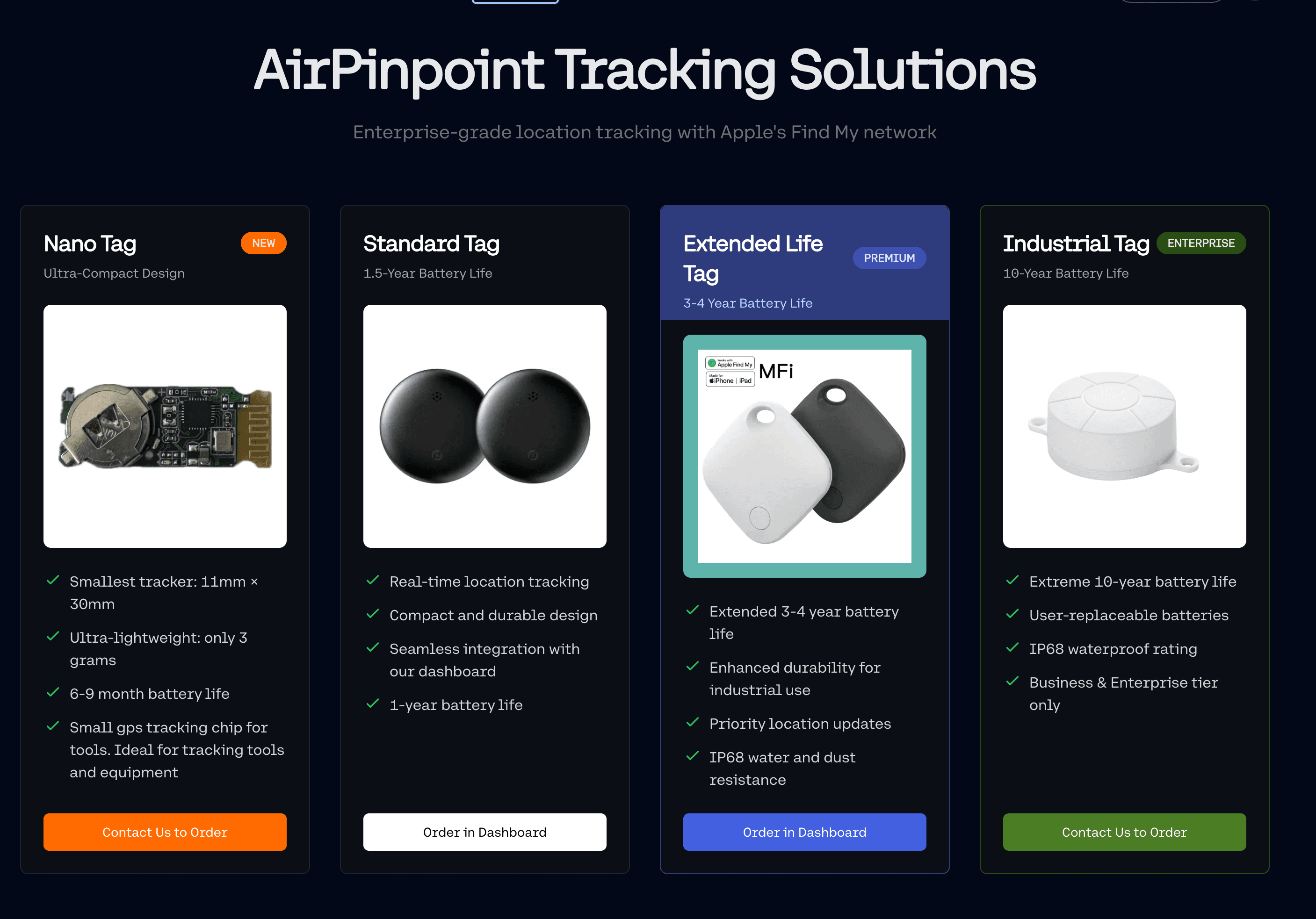
A Find My tag fixes the physical half of the problem. An AirTag in the laptop sleeve, taped inside a cart or fitted to a tablet case runs on its own CR2032 battery for about a year and reports through any nearby iPhone, iPad or Mac, whether the device it travels with is on, off or wiped. Our laptop tracking guide covers where to mount tags on different laptop models.
Plan around two limits. Find My reports are periodic, not a live feed, and they depend on Apple devices passing within Bluetooth range. In offices, schools and hospitals that is rarely a problem. A locked storage room in a basement can go hours between reports, so Airpinpoint lets you request an on-demand refresh and keeps checking each tag in the background on a schedule (every 30 minutes by default).
Running an IT Inventory Past Apple's 32-Item Limit
The Find My app holds 32 items per Apple ID. That is fine for a household and useless for a 400-laptop fleet. Those tags would be spread across 13 Apple IDs with 13 logins, and nobody could see them on one screen.
Airpinpoint reads tags across many managed Apple IDs and shows them in one account with search, groups and team roles (owner, admin, member, viewer). The IT team sees every tagged device on one map, the help desk can look one up by name, and location history stays in one place instead of being split by Apple ID. See multi-user AirTag tracking for how the accounts are set up.
Geofence Alerts When IT Equipment Leaves a Building
Inventory software records that a device was assigned to the third floor. A geofence tells you when it leaves. In Airpinpoint you draw a polygon around an office, campus or hospital wing, and a tag that crosses the boundary sends an email or webhook alert, usually 15 to 40 minutes after the move in populated areas. Common uses for IT teams:
- An iPad cart leaving the school grounds after hours
- A loaner laptop staying off site past its return date
- Spare laptops leaving the storage room without a ticket
- A shipped laptop arriving at the remote employee's city, which confirms delivery
Webhooks let you open a ticket in the help desk automatically, so the alert lands where the IT team already works.
Syncing Location Into Your IT Inventory
An inventory record with a live location is more useful than two separate systems. Airpinpoint's REST API returns each tag's location points for a time window (GET /v1/trackables/TAG_ID/locations with start_time and end_time), and Data Export downloads a CSV of every tag for any date range. A short script can write the last known location and time into a custom field in Snipe-IT, Freshservice or InvGate on a schedule. See the AirTag API for the endpoints.
IT Inventory Checklist: Fields to Record per Device
A usable inventory needs the same fields for every device. Start with these and add only what you will actually report on.
| Field | Why it matters |
|---|---|
| Asset number and label | Links the physical device to its record |
| Serial number and model | Warranty claims, recalls, MDM matching |
| Assigned user or location | Who to ask when it is missing |
| Status (in use, spare, loaner, repair, retired) | Separates active devices from stock |
| Purchase date and warranty end | Refresh planning |
| Last seen (scan, agent check-in or tag report) | How stale the record is |
| Tracking tag ID, if fitted | Connects the record to its live location |
Cost per Device: Inventory Software Plus a Tag
For a 200-laptop fleet with a two-person IT team, the inventory software is usually the smaller line. Snipe-IT hosted runs $399.99 a year for the whole fleet, and help desk tools that price per agent stay in the hundreds of dollars a year for a two-person team. Tagging only the 40 devices that travel or sit offline (loaners, carts, spares) costs $1,160 in AirTags plus $479.60 a month in Airpinpoint at $11.99 per tag. Tagging every desk-bound laptop rarely pays back, because discovery already sees those devices daily.
Frequently Asked Questions
What is IT inventory management software?
IT inventory management software keeps a list of every piece of IT hardware a company owns, with its serial number, assigned user, location and status. Most tools fill the list with a discovery scan or agent for devices on the network and with manual or barcode entry for everything else.
What is the best IT inventory management software for a small business?
Snipe-IT is the usual starting point: free to self-host, or $39.99 a month hosted, with unlimited users and assets. If the company already pays for a help desk, the asset module in that tool avoids running two systems. Add Find My tags only to the devices that go offline or leave the building.
How do you track IT inventory across multiple offices?
Keep one register with a location field per device, run discovery at each office, and tag the devices that move between sites. In Airpinpoint each office can be its own geofence, so a device moving from one office to another shows up as an exit alert and a new location on the map.
Can I track iPads and tablets with IT inventory software?
MDM and inventory agents track an iPad's status while it is online. To see where the tablet is when it is off, out of Wi-Fi range or in a cart, fit a Find My tag to the case or cart and read it through Airpinpoint.
 Our Solution