Barcode Inventory Tracking Software: Complete Business Guide
Barcode tracking remains the most widely deployed inventory management technology in the world. Over 80% of warehouse operations use barcodes as their primary identification method. The reasons are straightforward: labels cost almost nothing, scanners are reliable, the learning curve is measured in minutes, and the accuracy improvement over manual processes is immediate and measurable.
This guide covers everything you need to select and deploy a barcode inventory tracking system, from label types and scanner hardware to software platforms and ROI analysis.
How Barcode Inventory Tracking Works
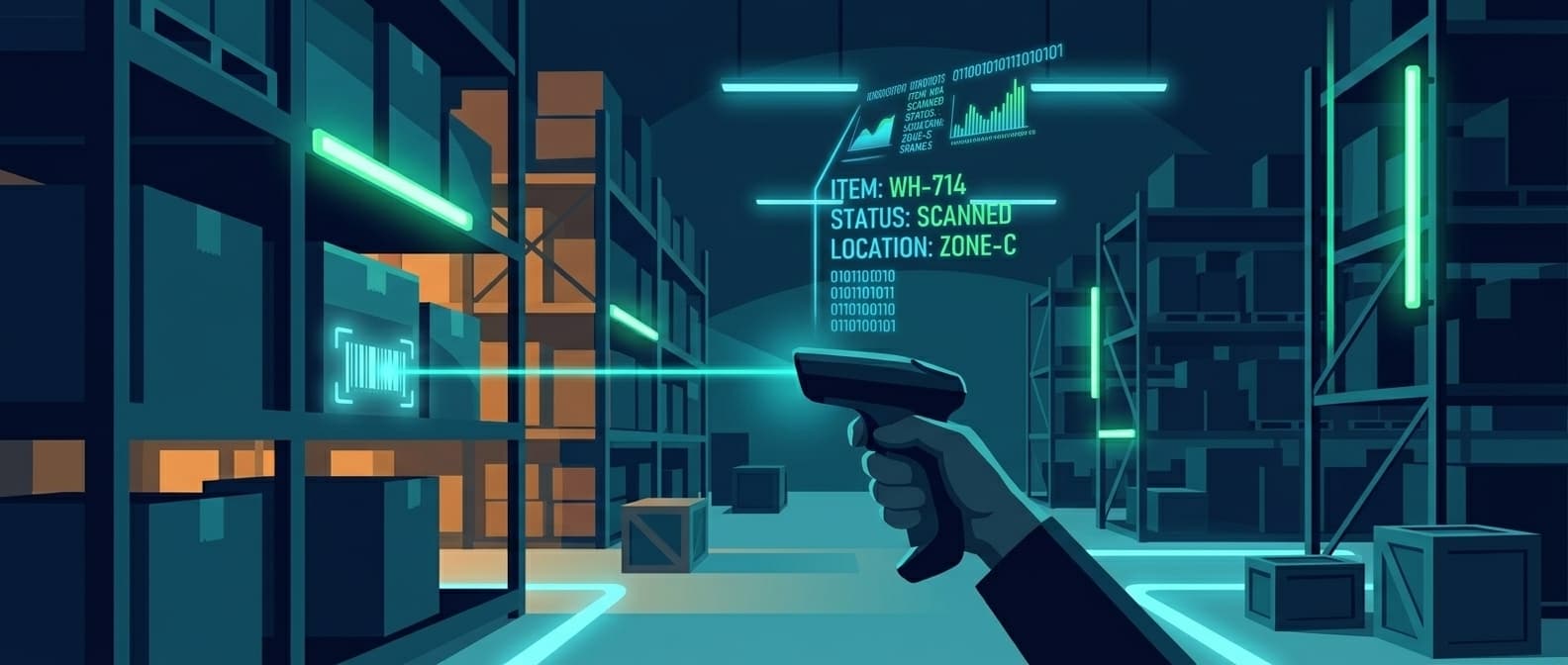
A barcode encodes data (SKU, serial number, lot, location) into a pattern that optical scanners read and transmit to software. The software matches the scan to a database record, then updates inventory counts, triggers workflows, or logs transactions.
The basic system:
- Labels: Printed or pre-made barcodes attached to items, shelves, bins, or locations
- Scanners: Laser, linear imager, or camera-based devices that decode barcode patterns
- Software: Cloud or on-premise platform that processes scans into inventory records
- Database: Central repository linking barcode IDs to item details, quantities, and locations
What makes it effective for inventory:
- 99.9% per-scan accuracy (vs 67% for manual keyboard entry)
- Sub-second scan time per item
- Near-zero label cost (print in-house on thermal printers)
- Works with existing smartphones as scanners
- Universal standard supported by every major WMS and ERP
Barcode Types: 1D, 2D, and QR Codes
Choosing the right barcode type affects how much data you can encode, how scanners read them, and where they work reliably.
1D (Linear) Barcodes
The classic vertical-line barcodes you see on retail products.
| Symbology | Characters | Common Use |
|---|---|---|
| UPC-A | 12 digits | Retail products (US/Canada) |
| EAN-13 | 13 digits | Retail products (international) |
| Code 128 | 128 ASCII characters | Shipping labels, internal SKUs |
| Code 39 | 43 characters (alpha + digits) | Government, defense, manufacturing |
| Interleaved 2 of 5 | Digits only | Warehouse cartons |
Strengths: Cheap to print, fast to scan, universal reader support. Limitations: Max ~25 characters of data. Requires line-of-sight. Larger physical size for more data.
2D (Matrix) Barcodes
Pack more data into a smaller footprint using grid patterns.
| Symbology | Capacity | Common Use |
|---|---|---|
| Data Matrix | 2,335 alphanumeric | Electronics, medical devices, small parts |
| PDF417 | 1,850 alphanumeric | Driver's licenses, shipping, government |
| QR Code | 4,296 alphanumeric | Mobile scanning, marketing, asset tracking |
| Aztec | 3,832 alphanumeric | Boarding passes, transport tickets |
Strengths: High data density, smaller label size, error correction (readable when partially damaged), scannable by smartphones. Limitations: Require area-imager or camera-based scanners (not laser scanners).
Which Barcode Type to Use
| Use Case | Recommended Type | Why |
|---|---|---|
| Simple SKU lookup | Code 128 (1D) | Fast, universal, minimal data needed |
| Serialized item tracking | Data Matrix (2D) | Unique serial + lot + date in small space |
| Mobile workforce scanning | QR Code | Any smartphone can scan without an app |
| Tiny components | Data Matrix (2D) | 2mm x 2mm minimum size |
| Retail products | UPC/EAN (1D) | Industry standard, required for retail |
| Shipping and logistics | GS1-128 (1D) | Encodes weight, date, lot in standard format |
Scanning Hardware: What to Buy
Scanner Types
| Scanner Type | Price Range | Speed | Durability | Best For |
|---|---|---|---|---|
| Smartphone camera | $0 (existing device) | Moderate | Low | Low-volume, mobile workforce |
| Bluetooth pocket scanner | $50-$200 | Fast | Moderate | Field workers, retail |
| Corded handheld | $100-$500 | Very fast | High | Warehouse stations |
| Cordless handheld | $200-$1,000 | Very fast | High | Warehouse floor, receiving |
| Presentation scanner | $100-$400 | Instant | Moderate | Checkout, workstations |
| Rugged mobile computer | $1,000-$3,000 | Very fast | Very high | Harsh environments, all-day use |
| Fixed-mount scanner | $500-$2,000 | Instant | High | Conveyor belts, automation |
Scanner Technology
Laser scanners: Read 1D barcodes only. Fast and reliable at distance (up to 20+ feet). Still the cheapest option for warehouses that only use linear barcodes.
Linear imagers: Read 1D barcodes. Slightly more affordable than laser, works well for close-range scanning. No moving parts means fewer failures.
Area imagers (2D): Read both 1D and 2D barcodes including QR codes. Required if you use Data Matrix or QR labels. These are the default choice for new deployments since they handle every barcode type.
Camera-based: Smartphones and tablets. Slower per-scan than dedicated hardware but adequate for low-volume operations. Many cloud inventory apps use the device camera directly.
Label Printers
| Printer Type | Price Range | Cost Per Label | Volume | Best For |
|---|---|---|---|---|
| Desktop thermal | $200-$600 | $0.01-$0.03 | Low-medium | Office, small warehouse |
| Industrial thermal | $1,000-$3,000 | $0.005-$0.02 | High | Warehouse, manufacturing |
| Mobile printer | $300-$800 | $0.02-$0.05 | Low | Field labeling, receiving dock |
Thermal transfer labels use a ribbon to print. They resist heat, moisture, chemicals, and UV. Use these for labels that need to last months or years.
Direct thermal labels print without ribbon but fade over time (3-12 months). Fine for shipping labels and temporary tracking.
Software Platforms
What to Look For
Core features that separate useful barcode tracking software from glorified spreadsheets:
| Feature | Why It Matters |
|---|---|
| Barcode generation | Print labels directly from the system |
| Mobile scanning | Use phones or dedicated devices in the field |
| Multi-location | Track inventory across warehouses, trucks, job sites |
| Audit trail | Who scanned what, when, where |
| Low-stock alerts | Automatic notifications before stockouts |
| Check-in/check-out | Track who has which asset and when it's due back |
| Reporting | Utilization, movement history, shrinkage analysis |
| Integrations | Connect to your existing ERP, accounting, or WMS |
Software Cost Tiers
| Tier | Monthly Cost | Example Platforms | Features |
|---|---|---|---|
| Free / Open Source | $0 | Snipe-IT, PartKeepr | Basic tracking, self-hosted |
| Starter | $20-$50/month | Sortly, BoxHero | Cloud, mobile app, basic reports |
| Professional | $50-$200/month | Asset Panda, EZOfficeInventory | Multi-location, integrations, audit trail |
| Enterprise | $200-$1,000+/month | Wasp, Fishbowl | Full WMS, ERP integration, custom workflows |
Total System Cost
| Business Size | Hardware | Software (Annual) | Labels | Total Year 1 |
|---|---|---|---|---|
| Small (500 items) | $300-$800 | $0-$600 | $25-$50 | $325-$1,450 |
| Medium (5,000 items) | $1,000-$3,000 | $600-$2,400 | $50-$250 | $1,650-$5,650 |
| Large (50,000+ items) | $5,000-$15,000 | $2,400-$12,000 | $500-$2,500 | $7,900-$29,500 |
Compare this to RFID systems that start at $5,000-$15,000 for a small warehouse. Barcodes cost a fraction of RFID infrastructure, which is why they remain the default for businesses under a certain complexity threshold.
Barcode vs RFID vs BLE: Choosing the Right Technology
The question isn't which technology is "best." It's which one matches your specific problem.
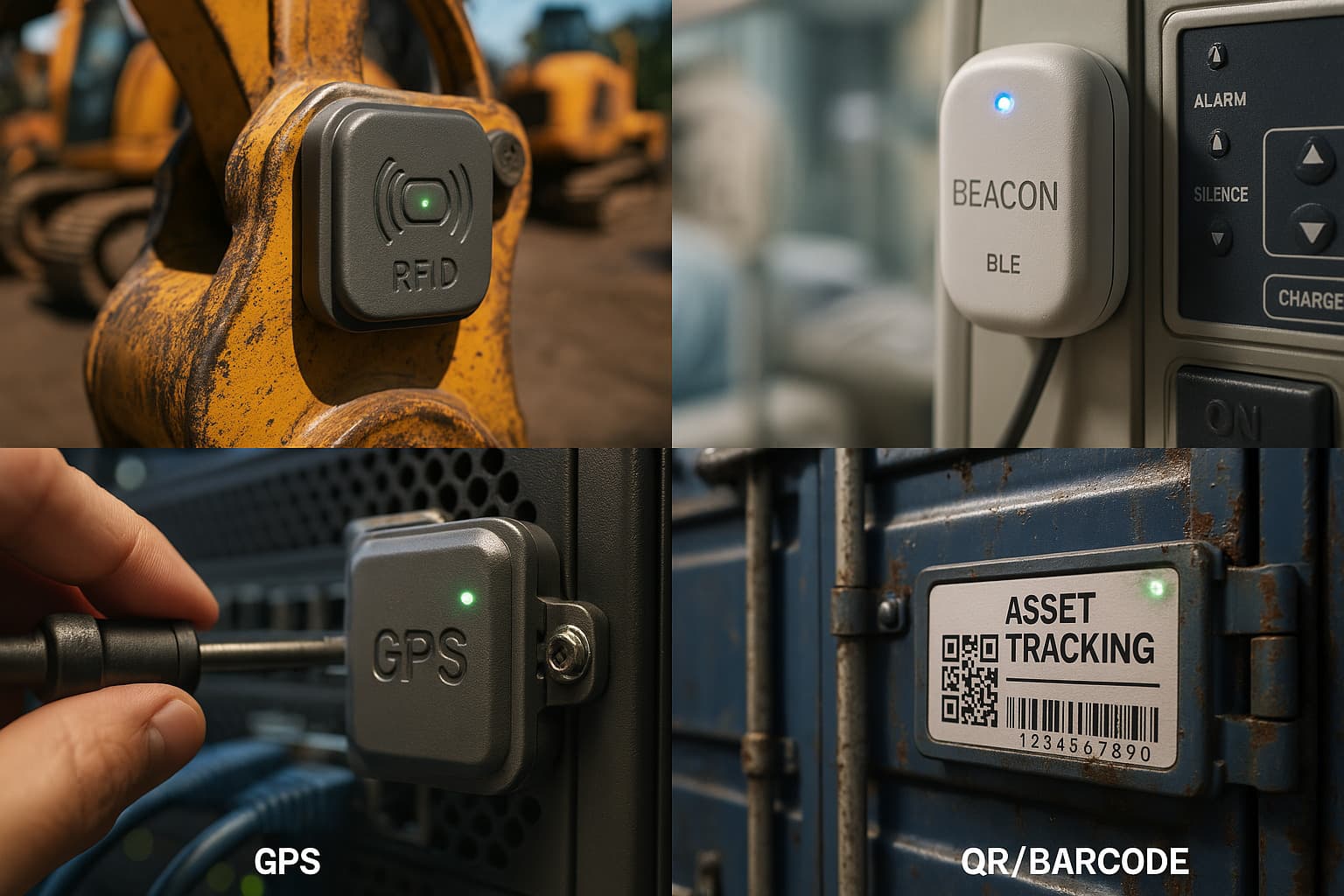
| Capability | Barcode | RFID | BLE / AirTags |
|---|---|---|---|
| Cost per tag/label | $0.01-$0.05 | $0.10-$5.00 | $5-$29 |
| Infrastructure cost | Low ($200-$1,500) | High ($5,000-$250,000) | None |
| Scan method | Line-of-sight, one at a time | No line-of-sight, 100+ simultaneous | Automatic, continuous |
| Read range | Contact to 20 feet | 1-30 feet (passive) | Global (crowd-sourced) |
| Data capacity | 25-7,000 characters | 96-512 bits typical | Device ID only |
| Primary question answered | "What is this item?" | "How many items are here?" | "Where is this item?" |
| Setup time | Days | Weeks to months | Minutes |
| Best for | Inventory counts, receiving, shipping | High-volume bulk scanning | Mobile asset location tracking |
When Barcodes Are the Right Choice
- You need affordable, proven tracking with minimal investment
- Your team scans items at predictable touchpoints (receiving, shipping, checkout)
- Inventory volume is under 50,000 SKUs
- You don't need real-time location data between scans
- Budget is a primary constraint
When to Consider RFID Instead
- You need to count 10,000+ items without individual scanning
- Labor cost for counting exceeds $50,000/year
- Accuracy requirements demand zero manual intervention
- Your items pass through chokepoints where readers can automate reads
For a full breakdown, see our RFID inventory management guide.
When to Consider BLE / AirTag Tracking Instead
- You need to know where an asset is right now, not just that it was scanned somewhere
- Assets move between job sites, vehicles, or buildings
- You want continuous tracking without scanning labor
- Theft recovery and geofence alerts matter more than inventory counting
For businesses that need both "how many" and "where," a hybrid approach works well: barcodes for inventory management, BLE tags for location tracking of high-value items.
Implementation Guide
Phase 1: Define Scope (1-2 Days)
Answer these questions before buying anything:
- What are you tracking? Raw materials, finished goods, tools, assets, all of the above?
- How many items? This drives label volume and software tier.
- Where do items move? Single warehouse, multiple sites, out to field crews?
- What's your scan volume? 50 scans/day needs a phone. 500+ needs dedicated scanners.
- What systems need integration? QuickBooks, NetSuite, Procore, custom ERP?
Phase 2: Set Up Labels and Hardware (1-3 Days)
Label design:
- Choose barcode symbology (Code 128 for most internal tracking, QR for mobile scanning)
- Decide what data to encode (SKU, serial number, location, lot)
- Design label with human-readable text alongside the barcode
- Print test batch and verify scan reliability at distance
Hardware setup:
- Configure scanner to transmit to your software (USB, Bluetooth, or WiFi)
- Print location labels for shelves, bins, and staging areas
- Test scan speed and reliability in actual operating conditions
Phase 3: Software Configuration (2-5 Days)
- Import existing inventory data (spreadsheets, previous system export)
- Define item categories, locations, and user permissions
- Set up workflows: receiving, putaway, pick, ship, cycle count
- Configure alerts for low stock, missing items, and overdue checkouts
- Train users (typical: 30-60 minutes for basic scanning workflows)
Phase 4: Go Live and Optimize (Ongoing)
- Run parallel operations for one week (old process + barcode system)
- Validate counts match between systems
- Cut over to barcode-only once confidence is established
- Review scan exception reports weekly for the first month
- Add new label types or workflows as needs emerge
ROI Analysis
Where Savings Come From
| Category | Manual Process Cost | With Barcode Tracking | Annual Savings |
|---|---|---|---|
| Counting labor | $15,000-$40,000 | $3,000-$10,000 | $12,000-$30,000 |
| Shipping errors | $5,000-$25,000 | $500-$2,500 | $4,500-$22,500 |
| Shrinkage | 2-5% of inventory value | 0.5-1% | Varies by inventory |
| Stockout costs | $10,000-$50,000 | $2,000-$10,000 | $8,000-$40,000 |
| Search time | $5,000-$15,000 | $1,000-$3,000 | $4,000-$12,000 |
Sample ROI: Mid-Size Warehouse (5,000 SKUs)
| Line Item | Year 1 |
|---|---|
| Investment | |
| Scanners (3x cordless) | -$1,800 |
| Label printer | -$500 |
| Labels and supplies | -$200 |
| Software (annual) | -$1,800 |
| Savings | |
| Counting labor | +$18,000 |
| Shipping error reduction | +$8,000 |
| Shrinkage reduction | +$5,000 |
| Search time savings | +$6,000 |
| Net Year 1 | +$32,700 |
Payback period: under 2 months. This is why barcode tracking has near-universal adoption. The investment is small and the returns are immediate.
Common Pitfalls and Fixes
Pitfall: Labels Won't Scan Reliably
Causes: Low print quality, wrong substrate for environment, barcode too small.
Fixes:
- Use thermal transfer labels for any environment with heat, moisture, or UV
- Maintain printhead cleaning schedule (every 5,000 labels)
- Ensure quiet zone (white space around barcode) meets spec
- Test at actual scanning distance before committing to a label size
Pitfall: Staff Bypass the System
Causes: Scanning feels slower than the old process. System isn't trusted.
Fixes:
- Streamline scan workflows to fewer steps
- Show staff the error data from the manual process
- Make scanning the path of least resistance, not an extra step
- Fix any scan-failure friction within the first week
Pitfall: Software Doesn't Match the Workflow
Causes: Picked software based on features list, not actual process fit.
Fixes:
- Trial the software with real transactions before committing
- Map your actual workflow (receiving, putaway, pick, ship, count) and verify each step works
- Check mobile scanner integration specifically, not just desktop demo
Pitfall: No Location Tracking Between Scans
Causes: Barcodes only record data at the moment of scan. Between scans, you have no visibility.
Fixes:
- Add location barcodes to shelves and bins, scan location + item together
- For assets that leave the building, supplement with BLE tracking or AirTags for continuous location data
- Reduce the gap between scans with check-in/check-out workflows
The Bottom Line
Barcode inventory tracking is the highest-ROI inventory technology for most businesses. The math is simple: near-zero label cost, affordable scanners, fast implementation, and immediate accuracy gains.
Best fit:
- Businesses moving off spreadsheets or manual processes
- Operations under 50,000 SKUs
- Budget-conscious teams that need proven results
- Any operation where items pass through scannable touchpoints
Investment reality:
- Total year-one cost: $325-$29,500 depending on scale
- Typical ROI: 3-6 months
- Label cost: effectively zero at scale
Key success factors:
- Choose the right barcode type for your use case (1D for simple lookup, 2D for serialized tracking)
- Buy scanners that match your volume and environment
- Trial software with real workflows before committing
- Train staff in under an hour and fix friction immediately
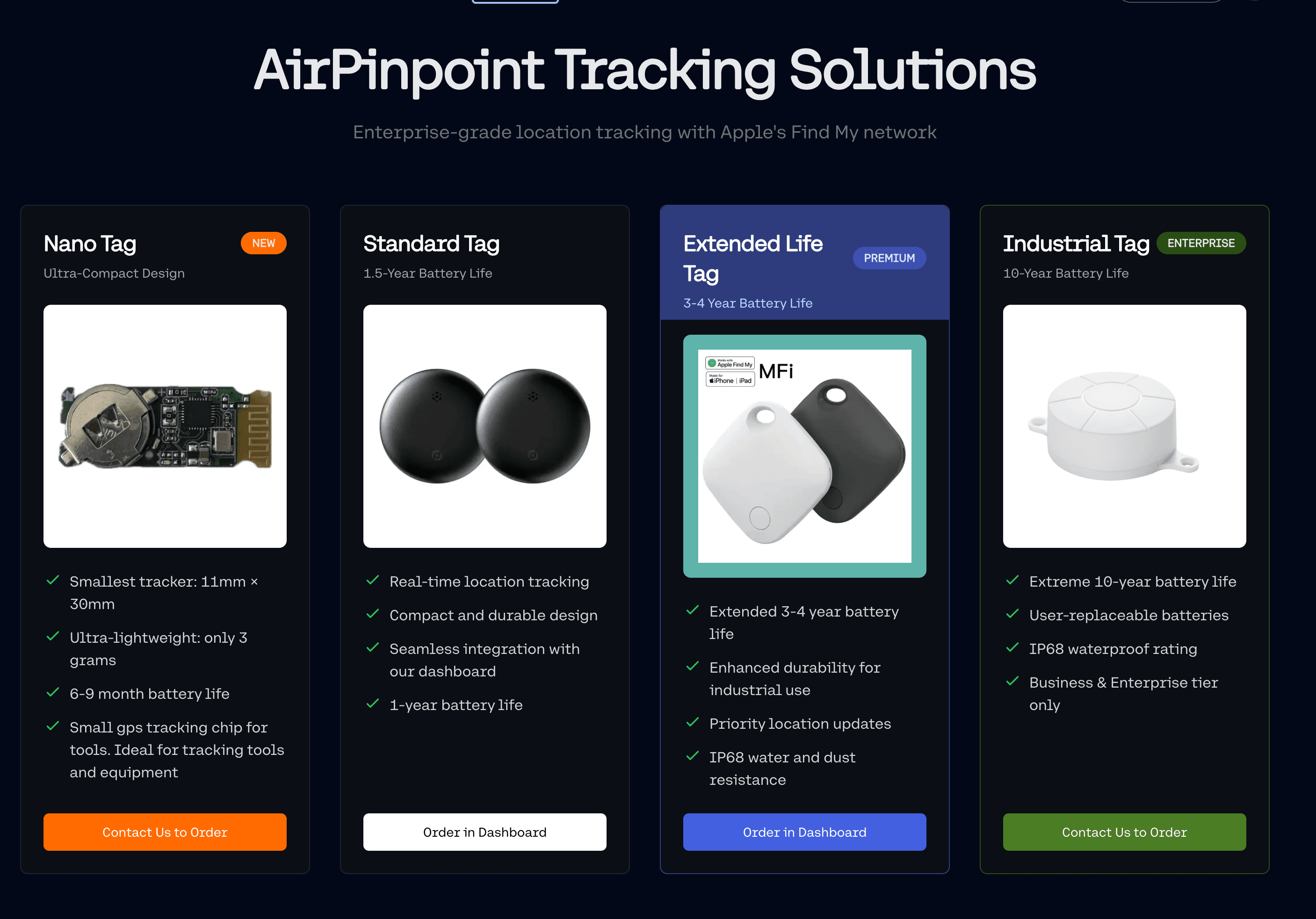
For assets that need continuous location tracking beyond scanning points, barcode systems pair well with AirTag-based tracking through Airpinpoint. Barcodes tell you what you have and how many. Airpinpoint tells you where each item is right now, with geofence alerts and real-time maps, no scanning required.
 Our Solution