Laptop Tracker: How to Track Company and School Laptops
You can track a laptop three ways: the tracking built into the operating system, laptop tracking software installed on each machine, or a separate tracking device in the sleeve, case or bag. The first two only work while the laptop is powered on and online. A tracking device has its own battery, so it keeps reporting when the laptop is off, wiped or sitting in a thief's car.
Key takeaway: For a single personal laptop, turn on Find my device (Windows) or Find My (Mac). For a company or school fleet, combine an MDM or tracking agent for lock and wipe with a hardware tag on the sleeve, case or cart, so you can still find the laptop when the software goes quiet.
Can You Track a Laptop? 3 Ways Compared
| Built-in OS tracking | Laptop tracking software | Hardware tracking device | |
|---|---|---|---|
| Examples | Windows Find my device, Find My Mac | Prey, Absolute, DriveStrike, Tether | AirTag, Find My card trackers |
| Works when laptop is off | Recent Macs for a while; Windows no | No | Yes, on its own battery |
| Survives a wipe or reinstall | No, once signed out | Absolute can on supported laptops; others no | Yes, it is not on the laptop |
| Remote lock and wipe | Yes | Yes | No |
| Location source | Wi-Fi and IP | Wi-Fi, IP, GPS if fitted | Nearby iPhones on the Find My network |
| Fleet view | One account at a time | Yes | With a dashboard such as Airpinpoint |
| Cost | Free | Per-device subscription | About $29 per tag, plus $11.99 per tag per month for Airpinpoint |
Built-in tracking is the free starting point. On Windows 11, open Settings, then Privacy and security, then Find my device, and sign in with a Microsoft account. On a Mac, turn on Find My in Apple ID settings. Either one shows the laptop on a map at account.microsoft.com/devices or icloud.com/find when it last connected.
Laptop Tracking Software vs a Tracking Device for Laptops
Laptop tracking software is an agent installed on each machine. It reports location, user and network details to a console, and lets IT lock the screen, show a message or wipe the drive. The weak point is power. A thief who shuts the lid, removes the battery or wipes the drive cuts the agent off, and the console only shows the last place it checked in. Absolute's firmware-level persistence on supported laptops can reinstall the agent after a wipe, which is why large enterprises pay for it.
A tracking device for a laptop works the other way round. It cannot lock or wipe anything, but it does not depend on the laptop being on. An AirTag in a sleeve reports whenever an iPhone passes within Bluetooth range, which in an office, a school or a city is several times an hour. The two approaches cover different failures, so most IT teams that track hardware use both.
How to Put an AirTag in a Laptop Bag, Sleeve or Chromebook Case
- Sleeve pocket. Zip the tag into an inner pocket of a padded sleeve. The laptop goes in and out with the sleeve.
- Chromebook or rugged case. Many school cases have a small pocket or a slot under the handle. A tag stuck inside with an adhesive holder stays put through daily use.
- Laptop bag. Drop the tag into a zipped inner pocket rather than an outside one, where it is easier to find and remove.
- Flat card tracker. A credit-card tracker such as the Ridge Tracker Card or Spotminders slides under the laptop inside a sleeve. See our Ridge Tracker Card review for the trade-offs, including recharging every few months.
Never open the laptop chassis to fit a tracker. It can void the warranty, and the space next to the battery is the wrong place for an extra cell.
Apple's anti-stalking protections apply to laptop tags too. An AirTag that travels with someone other than its owner eventually alerts that person's iPhone and can play a sound. That helps a staff member who picks up the wrong bag, and it also means a thief with an iPhone may find the tag, so treat the tag as a way to find lost and misplaced laptops quickly, not as a hidden anti-theft device.
Tracking a Fleet of Laptops Past Apple's 32-Item Limit
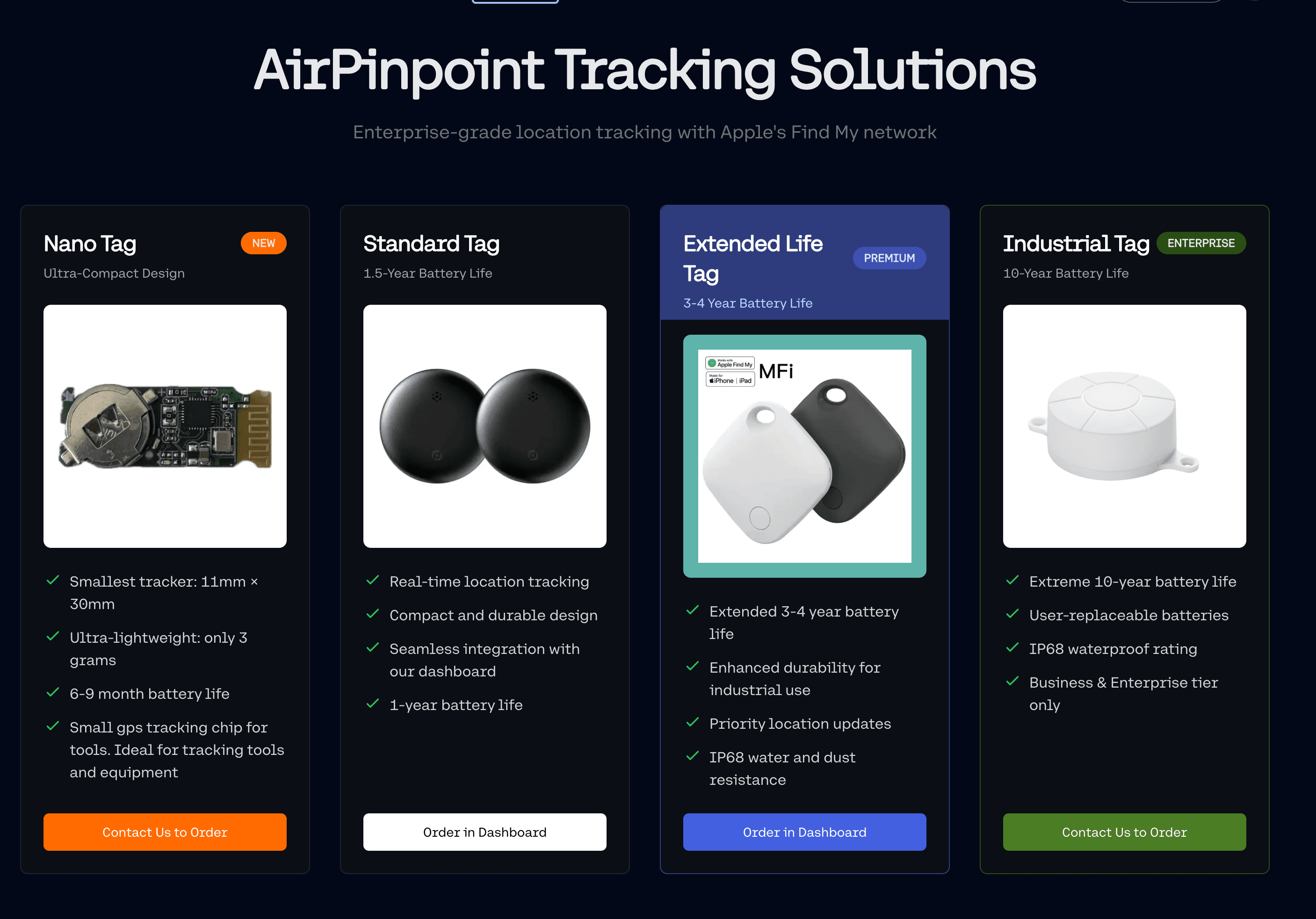
One Apple ID can hold 32 Find My items, and the Find My app shows them to one person. An IT team with 300 laptops needs several managed Apple IDs and a single view across them. Airpinpoint connects those accounts and puts every tagged laptop, bag and loaner kit on one shared map, with location history, filters by site or assigned user, and an API for your asset register. Pricing is $11.99 per tag per month, with no SIM or per-site hardware.
Geofence Alerts When a Laptop Leaves the Office or Campus
Draw a geofence around each office, school building or campus and get an email or webhook when a tagged laptop leaves it. Common rules include after-hours exits, loaner kits leaving a library, and a cart of Chromebooks leaving the building at all. The alert arrives when the Find My network next reports the tag outside the boundary, so in busy areas it typically comes within minutes.
Loaner Laptop Tracking and Checkout
Loaner laptops go missing because the checkout sheet records who took one, not where it is now. Put a tag in each loaner's sleeve and record the tag against the borrower when it goes out. When a loaner is overdue, the dashboard shows where it was last reported before anyone starts emailing. For departing staff, the same setup supports IT asset return management, because you can see whether an unreturned laptop is at the employee's home or already back in the building.
Laptop Tracking for Schools
Schools have the same problem at a larger scale, with thousands of Chromebooks, shared carts and summer collection. Tag the carts and the loaner pool first, since those move the most and are the hardest to account for. The education asset tracking guide covers end-of-year collection and fixed asset reporting for districts.
Cost per Laptop: Tracking Software vs a Tracking Device
| Tracking software agent | AirTag plus Airpinpoint | |
|---|---|---|
| Hardware per laptop | None | About $29 (less in 4-packs) |
| Monthly cost | Per-device subscription, varies by vendor and tier | $11.99 per tag |
| Battery to maintain | None | CR2032 about once a year |
| Lock and wipe | Yes | No, keep your MDM for that |
The device is not a replacement for your MDM. It covers the cases the MDM cannot see, which are laptops that are off, offline or wiped.
What to Do If a Company Laptop Is Stolen
- Lock it remotely through your MDM or tracking software so the data is protected, and change the user's passwords.
- Check the last location from the software console and from the tag's location history.
- File a police report with the serial number, asset tag and the location history.
- Do not try to recover it yourself. Give the location to the police.
- Wipe it remotely if recovery looks unlikely, after the location details are saved.
Related: equipment tracking software compared, asset tracking system, IT asset return management.
 Our Solution