
Updated
Small Business Asset Tracking Playbook 2025: Tools, Tips & Budget-Friendly Solutions
Why Small Businesses Need Asset Tracking
Most small operators track assets with a spreadsheet, a paper sign-out sheet, or somebody's memory. That works until the day it doesn't, and the day it doesn't is usually a Monday morning when a $1,400 laser level is not where it was Friday.
What the published data actually says:
- Small retailers lose an average of $1,686 per month to theft, and 21.6% report losing at least $1,000 a month (Capital One Shopping Research)
- Heavy equipment recovery rates sit around 21% to 23%, and recovery of small tools and single-item thefts falls below 7% (NICB and National Equipment Register)
- NICB and the National Equipment Register stopped publishing detailed annual equipment theft reports after 2016, which is why so many "industry statistics" on tool theft are recycled and unsourced
Notice what is missing from that list: a national figure for what a plumbing company or a landscaping crew loses in tools per year. Nobody collects it. A large share of those losses never becomes a police report or an insurance claim, because the deductible is higher than the drill.
That absence matters for how you should read the rest of this page. Where we can cite a number, we cite it. Where we cannot, we show you the mechanism and let you put your own numbers into it.
The good news: effective tracking doesn't require enterprise budgets. This playbook shows you how to protect your assets starting at $0.
Part 1: Understanding Your Risks
The Theft Landscape for Small Businesses
There are three distinct loss patterns, and they need different countermeasures. Mixing them up is why so many tracking rollouts fail: a tool crib policy does nothing about a van break-in, and a GPS tracker does nothing about a tool that walks out in a duffel bag.
External theft (break-ins and yard raids). Somebody who does not work for you takes something, usually at night, usually from a van or an open site. The loss is discovered all at once, it is visible, and it produces a police report. This is the pattern tracking helps with most directly, because a tag that is still attached gives the report an address instead of a shrug.
Internal loss (shrinkage and drift). Items leave one at a time. Sometimes it is theft, more often it is a tool that went home in a truck and never came back, or got left at a job site, or got lent to a subcontractor. You discover it weeks later when you go to use it. Tracking helps here only if the last-seen location is recorded, which is the real argument for location history over a live map.
Attrition you have miscategorized as theft. Some of what gets written off as stolen was actually broken, scrapped, lent out, or is sitting in a bin under something. Before you spend anything on tracking, do one full physical count against your purchase records. It costs a Saturday and it tells you which of the three patterns you actually have, which determines whether you need tags, a checkout system, or just a lock.
Why Traditional Controls Fail
Many small businesses try:
- Honor system: Relies on trust that breaks down
- Paper sign-out sheets: Lost, ignored, or falsified
- Monthly inventory counts: Problems discovered too late
- Memory: "I'm sure I left it in the truck"
These methods can't tell you where your $800 laser level is right now, or who had it last when it goes missing.
Part 2: Choosing the Right Tracking Method
Tracking Technology Comparison
| Method | Cost | Best For | Limitations |
|---|---|---|---|
| Spreadsheets | Free | Very small inventories (<50 items) | Manual entry, no real-time data |
| QR codes/Barcodes | $0.05-0.50/tag | Check-in/out systems, inventory audits | Requires scanning discipline |
| AirTags | $29 one-time | Mobile tools, van equipment, urban areas | 32 tag limit per Apple ID, Apple network dependent |
| Bluetooth trackers (Tile) | $25-35 + subscription | Cross-platform needs | Smaller network than Apple |
| GPS trackers | $20-50 + $15-30/month | Vehicles, remote equipment, real-time needs | Ongoing subscription costs |
| RFID tags | $0.50-2.00/tag + reader | High-volume, gate/checkpoint scenarios | Infrastructure investment |
When to Use What
Use AirTags when:
- You operate in urban/suburban areas (strong Apple device density)
- You have under 50 assets to track per Apple ID
- Tools move between job sites, trucks, or workers
- You want low-cost, no-subscription tracking
- Recovery capability matters more than real-time monitoring
Use GPS trackers when:
- Assets travel to remote locations
- You need real-time tracking (fleet vehicles)
- Route history and geofencing are critical
- Equipment value justifies $15-30/month per device
Use QR codes/barcodes when:
- You need check-in/check-out accountability
- Building an audit trail matters
- Budget is extremely limited
- Assets stay within your facilities
Use spreadsheets only when:
- You have fewer than 50 assets total
- Assets rarely move locations
- You have strong discipline around updates
- It's a temporary solution while evaluating software
Part 3: Free and Low-Cost Software Options
Free Asset Tracking Software
AssetTiger
- Free tier: Up to 250 assets
- Features: Barcode scanning, alerts, audit history, reports
- Best for: Small businesses just starting with tracking
- Limitation: Pricing increased in 2025 ($220/year for 500 assets)
Snipe-IT
- Cost: Free (open source)
- Features: Full asset management, user check-out, maintenance tracking
- Best for: Technical teams comfortable with self-hosting
- Limitation: Requires your own server, no support in free version
Spiceworks
- Cost: Free forever
- Features: IT-focused asset tracking, network discovery
- Best for: IT equipment tracking specifically
- Limitation: Ad-supported, IT-centric features
Budget-Friendly Paid Options
| Software | Starting Price | Key Features |
|---|---|---|
| Sortly | ~$62.50/year (250 assets) | Visual inventory, mobile app |
| GoCodes | ~$49/month | QR code system, photos, maintenance |
| UpKeep Lite | $20/user/month | Maintenance focus, mobile-first |
| EZOfficeInventory | $40/month | Full-featured, good for equipment rental |
| Snipe-IT Hosted | $39.99/month | Managed hosting of open-source platform |
The AirTag + Platform Approach
For location tracking specifically, combine:
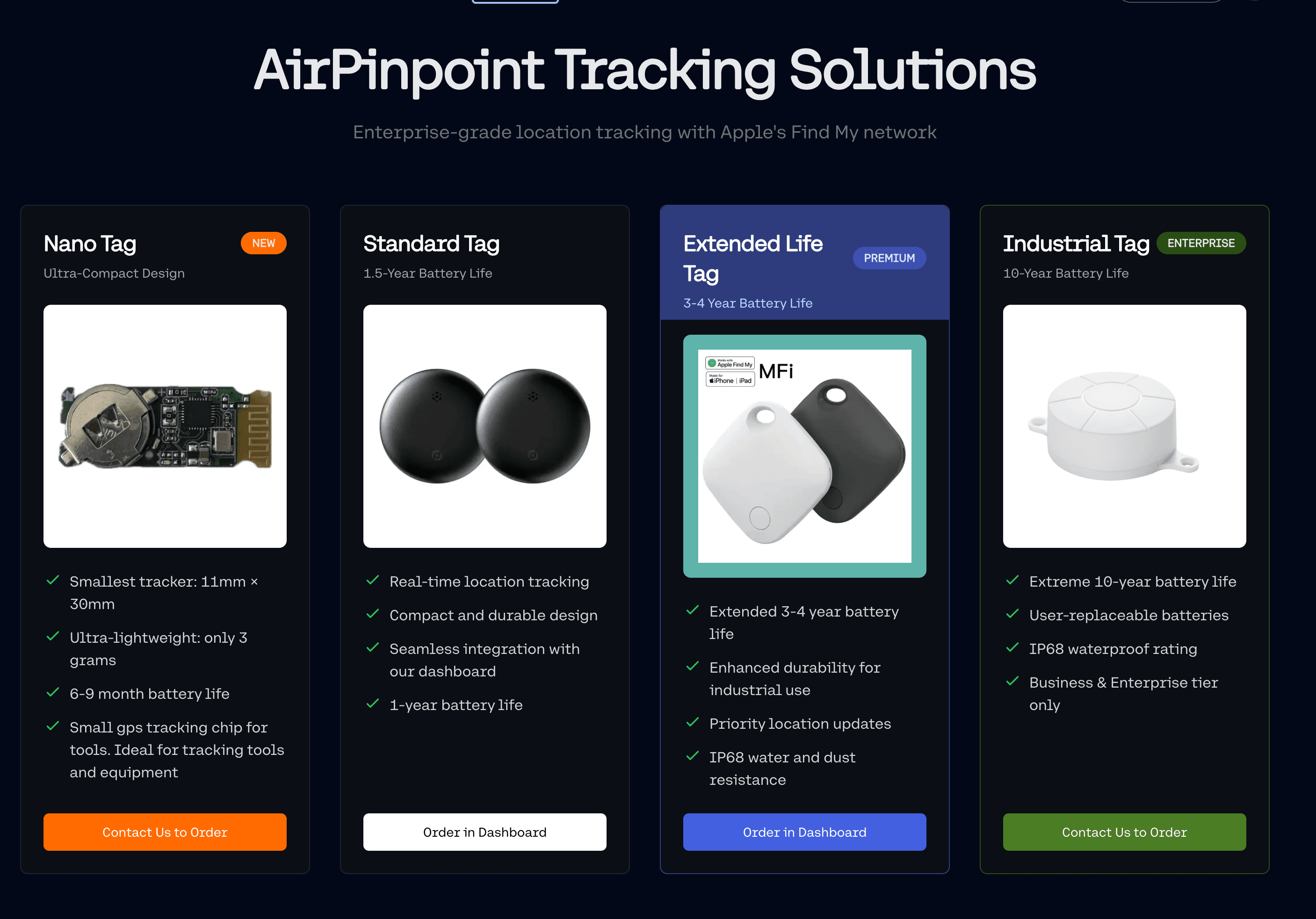
- AirTags ($29 each, no Apple subscription; Airpinpoint plans start at $11.99 per tag per month)
- Fleet management platform (Airpinpoint, etc.)
This provides:
- Real-time location across unlimited AirTags
- Geofencing and alerts
- Team access (not limited to one Apple ID)
- Dashboard for all assets
- Lower total cost than per-asset GPS subscriptions
Cost comparison for 50 assets:
- GPS trackers: $1,000 hardware + $12,000/year subscriptions = $13,000 first year
- AirTags + platform: $1,450 hardware + $1,800/year platform = $3,250 first year
Part 4: Implementation Roadmap
Week 1: Foundation
Day 1-2: Asset Inventory
- Walk through every vehicle, storage area, and job site
- Photograph each asset worth tracking
- Record: Name, serial number, approximate value, current location, condition
- Note any assets you can't find: these are likely "ghost assets"
Day 3-4: Prioritization Rank assets by:
- Value: Everything over $500 replacement cost
- Mobility: Items that leave your premises
- History: Anything stolen or lost before
- Criticality: Equipment that stops work if missing
Day 5-7: Technology Selection
- Decide tracking method based on Part 2 guidance
- Sign up for free software trial or free tier
- Order tags/trackers for priority assets
Week 2: Initial Deployment
Day 8-10: Tagging Priority Assets
- Install trackers on top 20-30 items first
- Test that each tracker reports correctly
- Document tracker placement for each asset
- Take photos showing tracker locations
Day 11-12: System Configuration
- Set up user accounts for team members
- Configure check-out/check-in workflows
- Establish geofences around key locations
- Set up alert notifications
Day 13-14: Team Training
- 30-minute training session for all employees
- Written one-page guide for common tasks
- Assign responsibility for daily check-in procedures
- Establish consequences for non-compliance
Week 3-4: Validation
- Monitor adoption and correct issues
- Address any system gaps discovered
- Add next wave of assets to tracking
- Conduct first manual audit vs. system data
Month 2+: Expansion
- Tag remaining priority assets
- Refine alert thresholds to avoid alert fatigue
- Review checkout compliance metrics
- Calculate early ROI indicators
Part 5: Industry-Specific Guidance
Service Contractors (HVAC, Plumbing, Electrical)
Key challenges:
- Tools spread across multiple service vehicles
- Equipment borrowed between technicians
- Job site tool sharing
- High-value diagnostic equipment
Recommended approach:
- AirTags on all power tools over $200
- QR code checkout system for shared equipment
- Vehicle GPS for route optimization and after-hours protection
- Daily end-of-shift tool check-in requirement
Software options:
- ServiceTitan (comprehensive field service + inventory)
- QR Inventory (affordable tool tracking)
- Sortly (visual inventory management)
Contractors and Construction
Key challenges:
- Multiple job sites simultaneously
- Subcontractor tool mixing
- Equipment transfers between sites
- Trailer and equipment theft
Recommended approach:
- GPS on trailers and heavy equipment
- AirTags on power tools, generators, compressors
- Job site geofencing with after-hours alerts
- Tool crib attendant or designated checkout manager
What the numbers support:
- Construction and farm equipment theft is estimated at $300M to $1B annually in the US (NICB and National Equipment Register)
- Roughly 21% to 23% of stolen heavy equipment is recovered; for small tools and single-item thefts, recovery falls below 7%
- We are not going to quote a recovery rate "with tracking," because no one publishes a controlled comparison. What a tag changes is the input to the police report: a location trail with timestamps instead of "it was here Friday and gone Monday." Whether that leads to a recovery depends on the department, the jurisdiction and how fast you call. We have no law enforcement partnerships and cannot promise an outcome.
Retail and Service Businesses
Key challenges:
- Internal loss, which is harder to detect than external theft because it arrives one item at a time
- Cash register equipment
- POS hardware and tablets that walk between locations
- Inventory management
Recommended approach:
- RFID or barcode system for inventory
- Asset tags on all electronics
- Regular spot audits (weekly minimum)
- Clear chain of custody for high-value items
Key metric:
- Shrinkage as a percentage of revenue, measured the same way every quarter
- Set your action threshold against your own trailing average rather than a published benchmark, since acceptable shrinkage varies enormously by category and format
Part 6: Protecting Work Vehicles
Van Security Essentials
A work van is a worse security proposition than a locked shop, for reasons that have nothing to do with statistics:
- It parks overnight wherever the driver lives, which is a residential street you do not control
- Its contents are known from the outside. Signage that advertises your trade also advertises what is in the back
- Factory locks on cargo vans are built for convenience, and the rear and side doors are frequently the weakest point rather than the cab
- The whole loss happens in one visit. Unlike a shop, where a thief takes what they can carry past you, a van can be emptied in a few minutes with nobody watching
Prevention Strategies
Physical security:
- Install slam locks (auto-lock when doors close)
- Add internal security cages
- Use steering wheel locks (visual deterrent)
- Consider deadlocks on rear/side doors
Electronic protection:
- Alarm systems with door sensors (all doors, not just front)
- GPS vehicle tracking
- Keyless entry protection (Faraday pouch for fobs)
- AirTags hidden in tool bags/boxes
Behavioral practices:
- Park in visible, well-lit areas
- Back up to walls (blocks rear door access)
- Remove or hide high-value tools overnight
- Never leave keys or key fobs in vehicle
- Vary parking locations when possible
Why each layer is worth the money:
- Slam locks and deadlocks change the attack from "pry the door in ten seconds" to "make noise for a minute," which is the difference an opportunist will not pay
- A Faraday pouch defeats relay attacks specifically, where two people amplify the signal from a fob sitting on your kitchen counter to a receiver at the van. It costs under $20 and it is the highest return item on this page
- Check your policy's per item and per occurrence caps before you rely on insurance. Blanket tool coverage commonly caps individual items well below what a modern cordless kit costs, so a full van empty-out often does not come back whole even on a paid claim
- Tracking is the layer that survives the break-in. Everything above tries to prevent it; a tag hidden in a tool case is what you have left when prevention failed
Part 7: Measuring Success
Key Metrics to Track
Set your own targets against your own baseline. These are the metrics worth measuring, not promises about where they will land:
| Metric | How to measure it | Why it matters |
|---|---|---|
| Checkout compliance | Signed-out items divided by items that left the yard | The system only works if it is used; below about 80% the data stops being trustworthy |
| Lost/stolen incidents | Count per quarter, against the quarter before you started | The only loss-prevention number that is genuinely yours |
| Value written off | Replacement purchases for items that were not worn out | Converts incidents into the figure your accountant cares about |
| Time to locate | Time from "where is X" to an answer | Measure it once before you deploy so you have something to compare to |
| Unaccounted items | Physical count versus system record | Rising count means the process broke, not the hardware |
| Alert response time | Geofence alert timestamp to first action taken | An alert nobody acts on is worse than no alert |
Take a baseline on all six before you tag anything. Without a before number, any after number is a story.
Calculating Your ROI
Track these savings:
- Theft losses avoided (compare to pre-tracking baseline)
- Emergency purchases eliminated
- Rental costs saved (from knowing what you own)
- Time saved searching for equipment
- Insurance premium reductions, if any. Ask your agent to quote the policy with and without tracking rather than assuming a discount exists; some carriers price it, some only reflect it at renewal through a cleaner loss run, and some not at all
How to build the number honestly:
Every "typical savings" percentage you will find for this category, ours included if we published one, traces back to a vendor with something to sell. So build it from your books instead. You need four inputs and a calculator.
- Replacement spend. Pull last year's purchases for items you already owned. Exclude anything that was genuinely worn out. What is left is your loss line.
- Deductible spend. Number of claims filed, times your per-claim deductible. Add any premium increase that followed a claim.
- Search labor. Ask three people to log, for two weeks, the minutes they spend finding things. Multiply by loaded hourly rate and annualize. Two weeks of real logs beats any survey average.
- Redundant rental. What you spent renting something you owned but could not locate or could not get to the site in time.
Then the cost side: tags at $29 each one time, plus $11.99 per tag per month, plus the hours to tag everything and train the crew.
ROI Example
Here is the worksheet with the arithmetic filled in, so you can see the shape of it. These inputs are placeholders. Replace every one of them with your own figures.
A 10-person service company's inputs:
| Input | Where it comes from | Example value |
|---|---|---|
| Replacement spend | Purchase records, items not worn out | $14,400/year |
| Deductible spend | 2 claims at $1,000 | $2,000/year |
| Search labor | 30 hours/month at $40 loaded | $14,400/year |
| Redundant rental | Rental invoices for owned gear | $2,800/year |
| Total exposure | $33,600/year |
The cost side, for 25 tagged assets:
| Cost | Calculation | Example value |
|---|---|---|
| Hardware | 25 tags at $29 | $725 one time |
| Subscription | 25 at $11.99 x 12 | $3,597/year |
| Setup labor | 20 hours at $40 | $800 one time |
| First-year total | $5,122 |
Now the part we will not do for you. Tracking does not eliminate any line in the first table. It moves some of them, by an amount that depends on your crew, your sites and how consistently you enforce checkout. Take your own exposure figure, decide what fraction you honestly believe visibility would recover, and compare it against $5,122.
The useful thing about doing it this way: if you have to assume an implausible recovery rate to make it pay, you have learned something real, and you have learned it before spending the money. If a quarter of your exposure is enough to clear the cost, the decision is not close.
Part 8: Common Mistakes to Avoid
Implementation Errors
- Tracking everything at once: Start with 20-30 priority items, prove the system, expand
- No enforcement: A checkout system nobody uses is worthless
- Ignoring team buy-in: Get employee input early; resistance kills adoption
- Overcomplicating: Simple systems get used; complex ones get abandoned
- Set-and-forget: Systems need regular audits and refinement
Technology Mistakes
- Wrong tool for the job: AirTags in remote areas, GPS for low-value items
- Obvious tracker placement: Thieves remove visible trackers
- Ignoring battery replacement: Dead trackers are useless
- Single point of failure: Backup high-value items with secondary trackers
- No geofencing: Alerts after theft much more than discovering loss days later
Policy Mistakes
- No written procedures: Verbal instructions get forgotten
- No consequences: Tracking without accountability doesn't change behavior
- Ignoring patterns: Same tools missing repeatedly = systematic problem
- No regular audits: Trust but verify, physical counts still matter
- Delayed action: Address discrepancies immediately, not "when you have time"
The Bottom Line
Asset tracking isn't just for large enterprises. With free software options and $29 AirTags, the entry cost is low enough that the decision turns on your own loss figures rather than on a vendor's percentage.
Two honest limits before you start. A Find My tag reports where it is, not what it is doing: no engine hours, no fuel, no usage data. And it reports when an Apple device passes near it, so a tool locked in a rural outbuilding may go quiet for a while. In town, near a job site with people around, that is rarely the constraint.
Start here:
- Inventory your 30 most valuable mobile assets today
- Sign up for a free AssetTiger or Snipe-IT account
- Add AirTags to your top 10-15 tools that leave your premises
- Establish a simple checkout procedure
- Conduct weekly spot audits
Do the physical count first, put your own four numbers into the worksheet above, and let the arithmetic tell you whether to buy. If it says no, that is a useful answer too.
Your tools are your livelihood. Protect them.


 Our Solution