
IT Asset Disposition (ITAD): Tracking Physical Chain of Custody to Disposal
IT asset disposition (ITAD) is the process of retiring IT equipment at end of life and disposing of it securely: collecting the device, destroying the data on it, and routing it for resale, recycling, or destruction. The hard part is not the data-wiping technology. It is proving you still have the asset, and knowing where it went after it left your building.
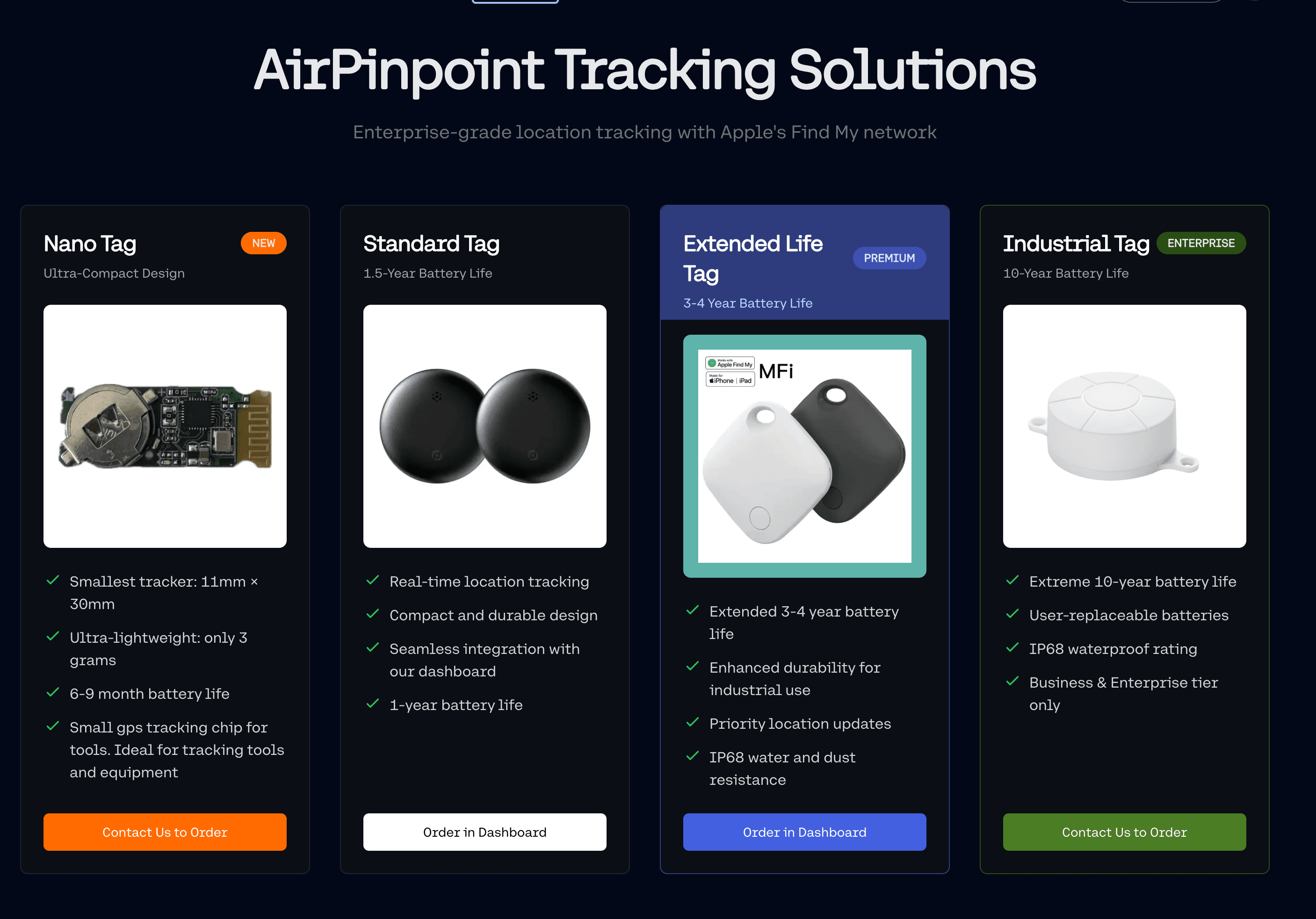
That is the gap this page is about. ITAM spreadsheets and disposition platforms log serial numbers and destruction certificates. They do not tell you that a retired laptop is actually still in the staging room, or that a pallet left the loading dock a day before the disposal truck was scheduled. Airpinpoint adds the physical-tracking layer: a Find My beacon on each device so you can see where it is from collection to the disposal vendor.
Note: Airpinpoint tracks the physical location and chain of custody of retired assets. It does not wipe drives or recycle equipment. Run it alongside your data-destruction and recycling process, not instead of it.
Disposal vs. Disposition vs. Recycling
These three terms get used interchangeably and they are not the same thing. The distinction matters because it is exactly what people search for, and getting it right is the foundation of an ITAD program.
| Term | What it means |
|---|---|
| IT asset disposition | The full decision and lifecycle for a retired asset: deciding whether to resell, redeploy, recycle, or destroy it, and managing every step to that end. |
| IT asset disposal | The final outcome: physically getting rid of the asset through destruction, recycling, or landfill. One possible result of disposition. |
| IT asset recycling | Recovering materials from an end-of-life device. A specific disposal method within disposition, focused on environmental and materials recovery rather than data. |
Put simply: disposition is the plan, disposal is the ending, and recycling is one kind of ending. A laptop with resale value goes through disposition but may never be "recycled." A dead monitor with no data goes straight to recycling. Both are disposed of.
The ITAD Lifecycle and Where Physical Tracking Fits
ITAD is a multi-stage workflow, and a device can go missing at every handoff. Tagging the asset at the start gives you continuous physical visibility through each stage.
Collection
IT staff gather retired devices from desks, conference rooms, storage closets, and remote offices. This is the first place equipment disappears: a laptop kept "temporarily," a device left in a drawer, a collection box sitting in a hallway for days.
Tag each device as it is collected. From that point you know which collected assets are still in the building and which have moved to staging.
Staging and inventory
Collected devices are inventoried, serials are logged, and pallets are built for transport. This is where assets pile up, and the longer they sit, the higher the exposure.
Geofence the staging area. If a device leaves before it should, you get an alert. If three devices from a batch of fifty are not in the staging room, you know before the truck arrives, not at the next audit.
Transport to the vendor
A truck moves pallets to the disposal or recycling facility. This is the least visible stage. A paper manifest records what left the building, but nothing records what happens between departure and arrival.
Watch the shipment move in real time and set a geofence for the expected destination. An unexpected stop or detour fires an alert, and arrival gives you proof of delivery independent of the carrier's paperwork.
Processing and data destruction
The vendor receives the assets, verifies serials, and sanitizes or destroys the data. Sanitization should follow a recognized standard such as NIST SP 800-88 (Clear, Purge, or Destroy), and the work should happen at a certified facility.
Confirm your assets actually arrived at the certified facility rather than a subcontractor or secondary location. If the vendor runs multiple sites, you can see which one received your equipment.
Disposal: resale, recycling, or destruction
Devices with remaining value are remarketed. The rest are recycled for materials or destroyed. Once a device is wiped and handed off, you retire its beacon and reuse the hardware on the next batch.
Track high-value refurbished units through resale so they do not quietly disappear before they reach the remarketing channel.
The Chain of Custody Problem
Chain of custody is the documented trail proving who held an asset, where it was, and what happened to it at every step. Responsible-recycling certifications require it. Most organizations still manage it with paper manifests and spreadsheets: a technician counts boxes at pickup, the facility counts devices at intake, and everything in between is a black box.
That black box is where assets go missing, and during disposition the risk is concentrated. Assets are in transit, changing hands, and leaving your control permanently. A device that slips out of the chain is not just lost inventory. If it still holds data, it is an unaccounted-for exposure that you cannot close because you do not know where it went.
Warning: "We trust the vendor" is not a chain of custody. When an auditor asks how you verify that a retired asset reached the certified processor, a paper manifest shows what left the building. It does not show what actually arrived.
Compliance: NIST 800-88, R2, and e-Stewards
A defensible ITAD program rests on two things: destroying the data correctly, and documenting where the asset went. The recognized references:
- NIST SP 800-88, Guidelines for Media Sanitization. The standard for rendering data unrecoverable. It defines three categories of sanitization: Clear, Purge, and Destroy, chosen by the sensitivity of the data and whether the media will be reused or destroyed.
- R2, administered by SERI (Sustainable Electronics Recycling International). A certification for responsible electronics recyclers covering data security, downstream accountability, and environmental management.
- e-Stewards, administered by the Basel Action Network. A certification with a strong focus on data destruction and on preventing the export of hazardous e-waste to developing countries.
Both R2 and e-Stewards require certified processors to maintain documented chain of custody. Physical location tracking strengthens your side of that record. When an auditor asks how you know equipment stayed within certified facilities, a timestamped location trail from collection to the certified processor is stronger evidence than a paper log.
Tip: Match the data-destruction method to the data. NIST 800-88's "Purge" or "Destroy" categories are appropriate for media that held regulated or sensitive information. Use Airpinpoint to prove that media physically reached the facility where that destruction happens.
Who Needs ITAD Tracking
Enterprise IT teams
Organizations retiring hundreds or thousands of devices per cycle need an auditable chain of custody. If you are subject to data-protection or financial-controls requirements, your auditors will ask how you verify that retired equipment reached the certified processor. Physical tracking turns that answer from a promise into a record.
ITAD and recycling vendors
Certified processors have to prove chain of custody to their clients. Adding real-time physical tracking to the service is a differentiator over competitors who rely on paper manifests. The pitch to their own clients writes itself: a manifest line that carries a location trail is a different kind of evidence from a signature on a form. What it takes is a tag on each pallet or gaylord leaving the client site, a geofence at the processing facility, and the export of that history attached to the certificate of destruction.
Regulated industries
Healthcare, finance, and government cycle through laptops, tablets, and workstations constantly, and each retired device may hold regulated data. The compliance bar is the same across them: prove where the asset was, and prove what happened to it. Tracking from the desk to the destruction certificate closes the gap.
Why ITAD Tracking Is Different From Everyday Asset Tracking
ITAD has a different rhythm than ongoing asset management. You are not tracking the same fleet month after month. You are tracking waves of equipment moving through a pipeline and exiting permanently.
- Batch-based workflows. You retire a batch this quarter, another next quarter. Tracking has to be easy to spin up and tear down, with no long contract on devices you only follow for a few weeks.
- Multiple handoffs. A device can pass from employee to IT to staging to logistics to the vendor to a sub-processor. Every handoff is a chance to break the chain.
- Audit-grade records. You need timestamped, location-verified history that survives an audit. "It was on the truck" is weaker than a location trail showing the asset arrived at the certified facility at a specific time.
Airpinpoint's per-device monthly pricing fits this shape. Tag at collection, track through processing, retire the beacon when you get the destruction certificate, and reuse the hardware on the next batch. You pay for the weeks you actually track.
ITAD Tracking Best Practices
A short checklist that mirrors how mature IT asset management programs handle end of life:
- Tag at the moment of collection, not later. The chain starts the second a device leaves a user. Tagging at staging already leaves a gap.
- Geofence every fixed location. Staging area, loading dock, and the vendor's facility. Alert on any unexpected exit.
- Reconcile against the vendor's intake report. Cross-reference your arrival data with the processor's receipt. Investigate every discrepancy.
- Keep the location history with the destruction certificate. Pair the timestamped trail with the certificate of destruction in the same audit file.
- Retire and reuse beacons per batch. Once a device is destroyed, free its beacon for the next disposition cycle.
Setting Up With Airpinpoint
Tag at collection
Attach a beacon and register the device in the dashboard, named with its serial or asset tag. About thirty seconds per device.
Geofence your facilities
Create geofences for staging, the loading dock, and the vendor's site. Set alerts for any device leaving a zone unexpectedly.
Monitor transport
When the shipment departs, watch it on the map. If the vendor has multiple facilities, confirm the truck heads to the right one.
Verify arrival
Confirm the shipment reached the certified facility and cross-reference against the vendor's intake report. Flag any mismatch.
Retire and export
Once you receive the certificate of destruction, remove the beacons and pull the location history for your compliance file as independent verification.
- IT Asset Return Management: The other end of the lifecycle: retrieving devices from departing employees before they ever reach disposition.
Tracking Closes the Gap, Not the Whole Problem
Airpinpoint will not wipe a drive or recycle a monitor. What it does is remove the blind spots in between. When you can show exactly where a retired device went, from the desk where it was used to the certified facility where it was destroyed, you have a defensible record that auditors and your legal team can rely on.
The gap between what the manifest says and what actually happened is usually wider than anyone expects. Most teams start by tagging their next disposition batch and comparing the tracking data against their existing paper trail. Knowing is the first step to closing it.




 Our Solution