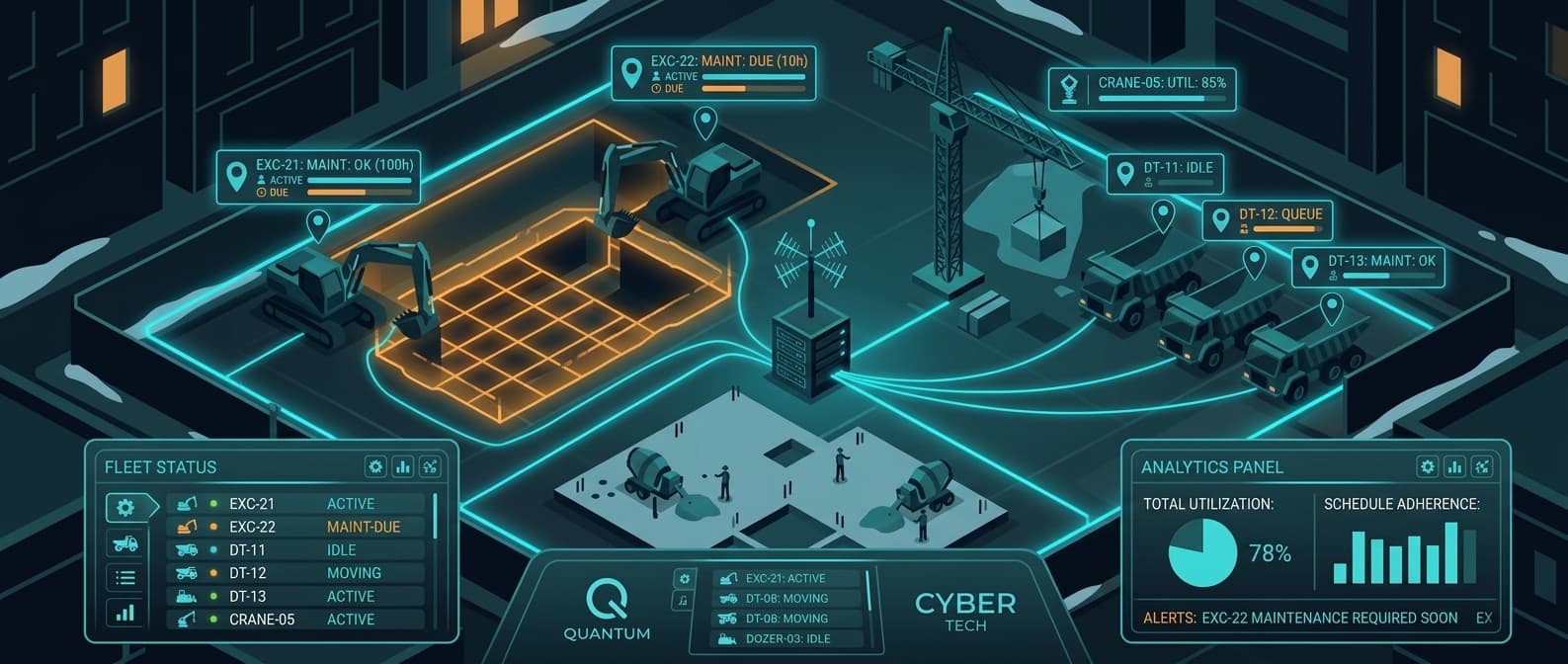
Construction Fleet Management Software: Track Every Vehicle and Asset Across Every Site
A general contractor running six active job sites has 80+ pieces of equipment scattered across them. Excavators, dump trucks, skid steers, generators, light towers, trailers, tool cribs. Every Monday morning, the project managers call each superintendent to figure out what is where. By Wednesday, half of it has moved again.
This is the default state of construction fleet management: spreadsheets, phone calls, and hope. The industry has spent billions on GPS fleet software, and most contractors still cannot tell you where their generators are without making three calls.
Why Construction Fleets Are Harder to Manage Than Any Other
Construction fleets have problems that standard fleet management software was not built for.
Mixed fleets. A typical GC runs 20-30 vehicles (trucks, vans, service rigs) alongside 50-100 pieces of equipment (excavators, loaders, compressors, scaffolding). GPS fleet software was designed for trucks. It charges per-vehicle pricing and requires OBD ports or hardwired installs. Half your fleet does not have either.
Multi-site chaos. Equipment moves between sites constantly. A compressor is at Site A on Monday, Site C on Thursday, and nobody logged the transfer. Project managers over-order rentals because they cannot confirm what is already on site.
Unpowered assets. Trailers, generators, scaffolding racks, temporary fencing, storage containers. These assets represent significant capital but have no power source for a GPS tracker. Cellular trackers need either a vehicle battery or their own power supply, so most of these assets go untracked.
Theft exposure. The National Equipment Register estimates $300M-1B in construction equipment theft annually. Job sites are open, hours are irregular, and a skid steer can disappear on a flatbed in 10 minutes. Recovery rates without tracking are under 25%.
OSHA and compliance pressure. Maintenance schedules, equipment certifications, and inspection records are not optional. Missing a crane inspection or running overdue maintenance on a boom lift is a violation. Fleet software that only tracks location does not help here, but knowing where equipment is means you can actually get to it for the inspection.
What Construction Fleet Management Software Should Do
Not every feature matters equally for construction. Here is what actually moves the needle vs. what is nice on a demo but rarely used.
Must-Have Features
Multi-site asset map. See every vehicle, machine, and trailer on a single map. Filter by site, equipment type, or status. This is the baseline: if you cannot answer "where is the 320 Cat right now?" in 10 seconds, the software is not doing its job.
Geofencing with alerts. Draw boundaries around job sites, yards, and staging areas. Get notified when equipment leaves a site boundary outside working hours. This is your first line of defense against theft and unauthorized use.
Location history. Where was this dump truck last week? When did the generator arrive at Site B? Location history resolves disputes with rental companies, verifies delivery claims, and documents equipment presence for project billing.
Utilization data. Which assets are sitting idle and which are running constantly? Utilization reporting tells you when to rent vs. buy, which assets to redeploy, and where you are bleeding money on idle equipment.
Maintenance tracking. Hours-based and calendar-based maintenance reminders. A loader with 500 hours since its last service is a liability. Tie location to maintenance schedules so you know where to send the service truck.
Nice-to-Have (But Not Essential)
- Driver behavior scoring (relevant for highway vehicles, not for on-site equipment)
- Fuel analytics (helpful for large fleets, overkill for 30 vehicles)
- Route optimization (construction vehicles do not run delivery routes)
- Dashcam integration (useful for liability, not for fleet visibility)
Most construction companies end up paying for all of these bundled into enterprise fleet software, then using maybe 20% of the features.
Construction Fleet Software Compared
| Software | Monthly Cost | Hardware | Installation | Best For | Unpowered Assets |
|---|---|---|---|---|---|
| Samsara | $27-45/device | $100-200 | Professional | Large mixed fleets with ELD needs | No (needs power) |
| Verizon Connect | $25-45/device | $150-300 | Professional | Enterprise fleets with compliance | No (needs power) |
| Tenna | Custom pricing | $200-500 | Professional | Heavy equipment focus | Limited (solar GPS) |
| HCSS | Custom pricing | Varies | IT integration | Construction project management | No |
| Geotab | $25-35/device | $100-200 | Professional | Data-heavy fleets | No (needs OBD) |
| Airpinpoint | $11.99/device | $29-35/beacon | Self-install (2 min) | Mixed fleets, multi-site visibility | Yes (battery-powered) |
The pricing gap is significant. For a construction company tracking 80 assets:
| Approach | Annual Software | Hardware (Year 1) | Installation | Year 1 Total |
|---|---|---|---|---|
| Samsara (80 units) | $25,920-43,200 | $8,000-16,000 | $4,000-12,000 | $37,920-71,200 |
| Tenna (80 units) | Custom (~$30K+) | $16,000-40,000 | Professional | $46,000+ |
| Airpinpoint (80 units) | $11,514 | $2,320-2,800 | $0 | $13,834-14,314 |
That is $24,000-57,000 in savings in year one alone. Year two the gap widens because hardware is already deployed.
The Mixed Fleet Problem (And Why GPS Alone Fails)
GPS fleet management was built for over-the-road trucking. It assumes every tracked asset has:
- A power source (vehicle battery or OBD port)
- Cellular signal (for data transmission)
- Professional installation capacity (technician wiring the unit)
Construction fleets break all three assumptions.
A 80-asset construction fleet typically looks like:
- 15-20 vehicles (pickup trucks, service rigs, dump trucks): GPS works fine here
- 10-15 heavy machines (excavators, loaders, dozers): GPS possible but expensive to install
- 20-30 unpowered assets (trailers, generators, compressors, light towers): GPS needs solar or battery packs
- 15-20 small/medium items (scaffolding carts, tool cribs, temporary fencing): GPS is overkill at $35/month each
Enterprise GPS vendors price per-device, so tracking the full fleet means paying the same $27-45/month for a $500K excavator and a $2,000 trailer. Most contractors end up tracking only vehicles and leaving 60-70% of their fleet invisible.
The Hybrid Approach
Smart construction companies split their fleet across tiers:
Tier 1: Enterprise GPS (15-25% of fleet)
- Highway vehicles with ELD requirements
- High-value machines needing second-by-second location
- Samsara, Verizon Connect, or Geotab
- $27-45/device/month
Tier 2: Airpinpoint (75-85% of fleet)
- Trailers, generators, compressors, light towers
- Equipment that moves between sites weekly, not hourly
- Tool cribs, scaffolding, temporary assets
- $11.99/device/month, battery-powered, no install
Example: 80-asset fleet
| Approach | Units | Monthly | Annual |
|---|---|---|---|
| All Samsara | 80 | $2,700 | $32,400 |
| Hybrid: 15 Samsara + 65 Airpinpoint | 80 | $1,315 | $15,780 |
| Savings | $16,620/year |
Same fleet. Full visibility. Half the cost.
How Airpinpoint Works for Construction
1. Tag Everything in an Afternoon
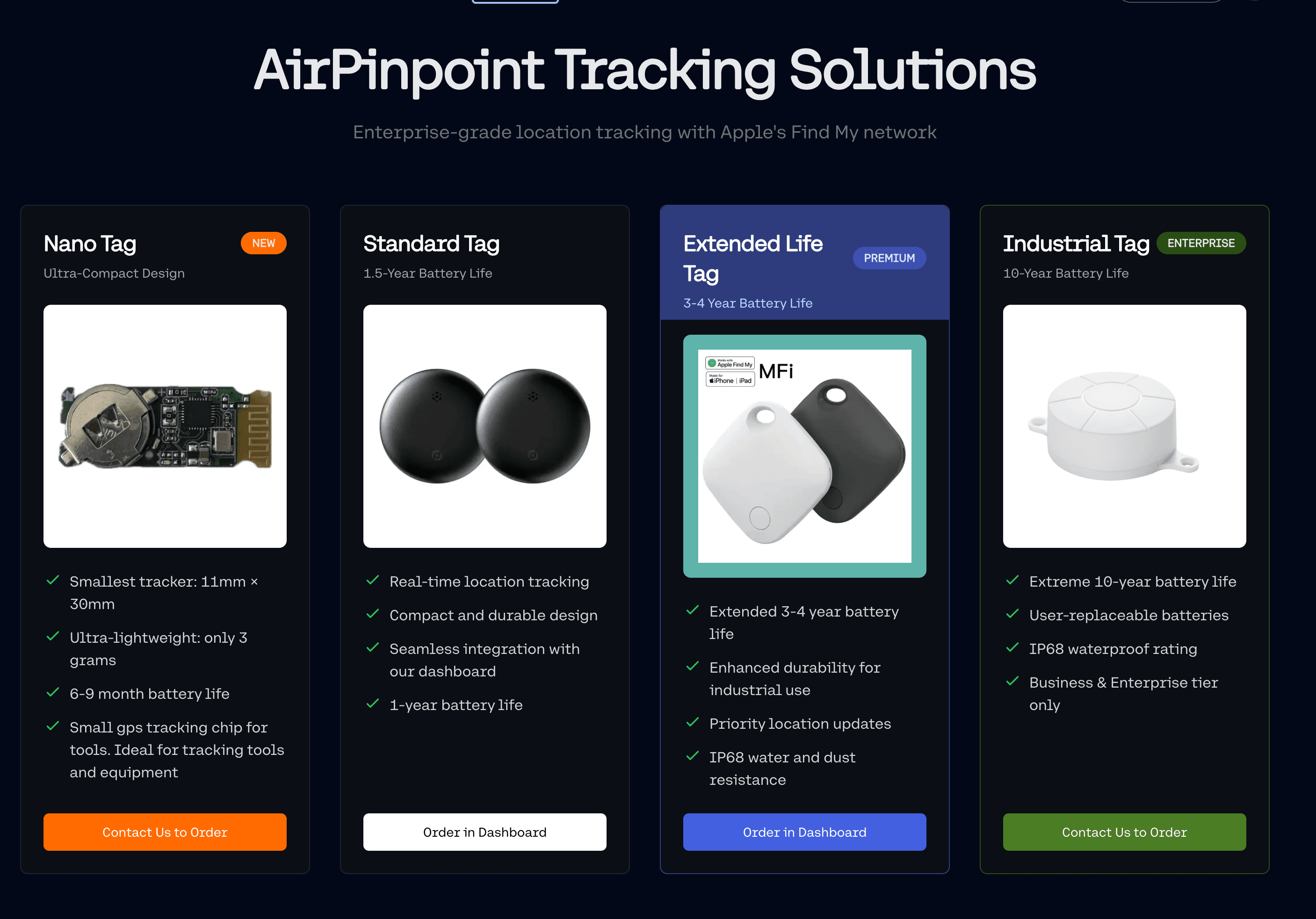
AirTag beacons are small, weatherproof, and attach with zip ties, magnetic mounts, or adhesive. No wiring. No OBD ports. No technician visit. A crew of two can tag 80 assets in a single day.
For high-theft assets, hide the beacon inside a cavity, behind a panel, or inside a toolbox. Thieves cannot disable what they cannot find.
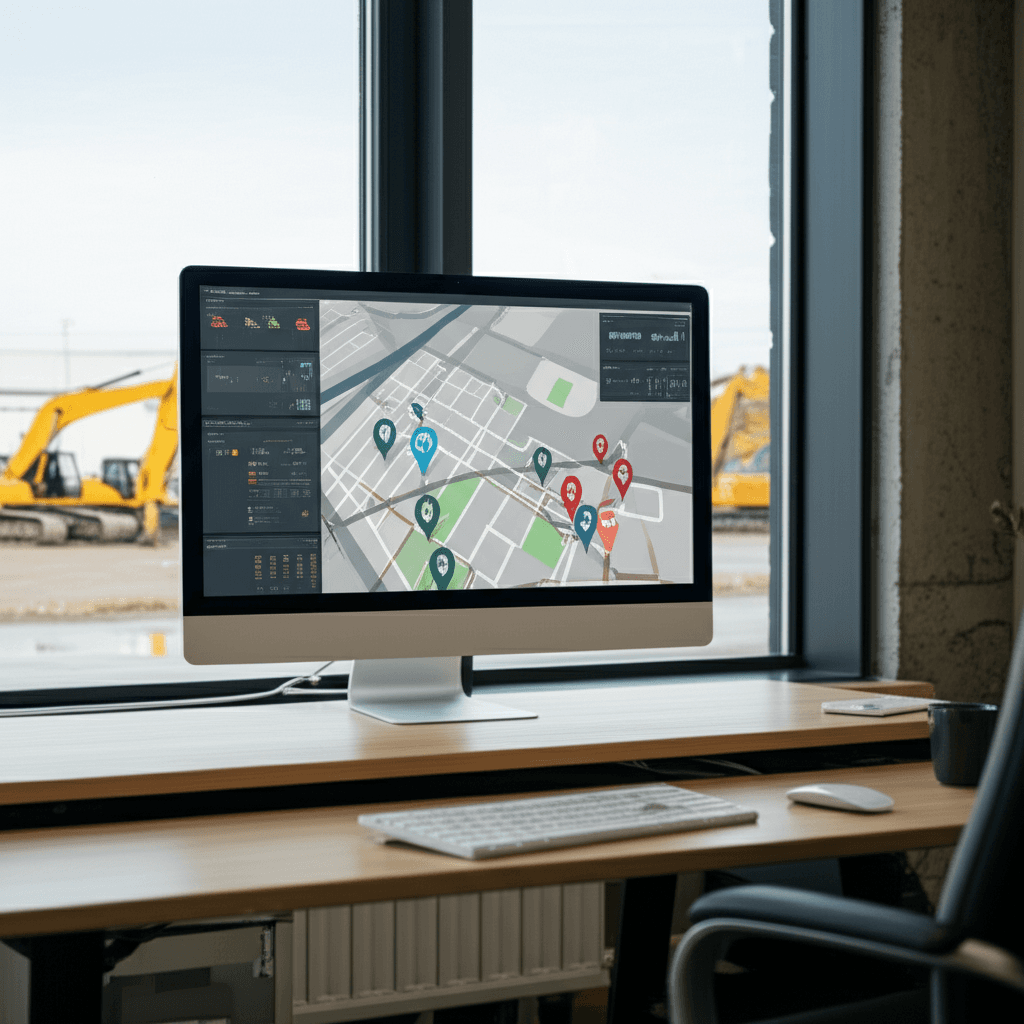
2. Multi-Site Fleet Map
Every tagged asset appears on a single dashboard map. Filter by job site, equipment type, or last-seen time. Color coding shows which assets updated recently and which have gone quiet.
Project managers open the map Monday morning and see exactly what is on each site. No phone calls. No guessing.
3. Geofence Every Job Site
Draw polygon boundaries around each job site, your main yard, and any staging areas. The system tracks entries and exits. Get an alert when a generator leaves Site B at 2am on a Saturday.
Consecutive-check logic (threshold of 7 pings) prevents false alerts from GPS drift or temporary signal bounces. You only get notified on real movement.
4. Location History and Audit Trail
Pull up any asset and see its location timeline: where it was, when it arrived, how long it stayed. This data serves multiple purposes:
- Rental disputes: Prove when a rented crane arrived and departed
- Project billing: Document equipment presence on specific job sites for cost allocation
- Theft recovery: Hand police a GPS trail showing where the stolen excavator went
- Insurance claims: Provide location evidence for theft or damage reports
5. Utilization Visibility
Assets that have not moved in 7+ days show up in idle reports. If a $200,000 excavator is sitting in a yard while a project manager is renting another one, that is visible immediately. Construction companies routinely discover 10-15% of their fleet sitting idle at any given time. At rental-equivalent rates, that idle capital adds up fast.
Theft Prevention and Recovery
Construction equipment theft costs the industry hundreds of millions annually. Most stolen equipment is never recovered because there is no tracking data.
Airpinpoint changes the recovery math:
Before theft: Geofence alerts fire once seven consecutive reports agree equipment has left a job site outside working hours, which near populated areas is 15 to 40 minutes after the crossing. A 2am alert on a Saturday still gives you time to call the police while the asset is in transit.
After theft: Location history shows the path. Apple's Find My network updates as any iPhone comes within Bluetooth range of the beacon. Hidden beacons continue broadcasting even after the thief thinks they have disabled tracking. Hand the location trail to law enforcement.
Deterrent effect: Contractors who tag equipment and advertise it (even a simple sticker: "GPS Tracked") see theft attempts drop. The calculation changes when a thief knows the equipment will broadcast its location indefinitely.
For a deeper look at anti-theft strategies, see our guide on construction equipment theft prevention.
Maintenance Scheduling Tied to Location
Knowing where equipment is changes how maintenance gets done. Instead of pulling a machine off a job for service, you route the service truck to the machine.
Airpinpoint's location data integrates with maintenance workflows:
- Equipment on Site A needs a 500-hour service. The service truck is already heading to Site A for another job. Combine the trips.
- A generator at a remote site has not been serviced in 90 days. You know exactly where it is and can schedule the visit without calling three people to locate it.
- Maintenance compliance reports show which assets were serviced on time and which were not, tied to their physical location at the time.
OSHA and Compliance Context
Airpinpoint is not a compliance platform. It does not handle ELD, DVIR, hours-of-service, or OSHA record-keeping directly.
What it does provide: the physical location of every asset that needs an inspection, certification, or service. When your safety manager needs to verify that every boom lift on a project has a current annual inspection, step one is knowing where those boom lifts are. Airpinpoint handles step one.
For DOT-regulated vehicles, pair Airpinpoint with a dedicated ELD solution on those specific units. Use Airpinpoint for the rest of the fleet. See our fleet compliance guide for more on layering compliance tools with fleet tracking.
Getting Started
Most construction companies start with the assets they lose track of most often: trailers, generators, and small equipment. The pattern is predictable:
- Week 1: Tag 20-30 high-priority assets. Set up geofences around active job sites and your main yard.
- Week 2-4: Expand to the full fleet. Add project managers as dashboard users.
- Month 2+: Integrate location data into project management workflows. Use utilization reports to optimize rental vs. owned equipment decisions.
Airpinpoint requires a 12-month commitment at $11.99/device/month for Business or $14.99/device/month for Enterprise. Hardware is $29-35 per beacon, one-time.
For fleets over 100 devices, contact us for volume pricing.
Ready to see your entire construction fleet on one map? Get started with Airpinpoint and stop losing equipment between job sites. Multi-site geofencing, location history, and utilization reports included. No wiring, no SIM cards, no enterprise contracts.



 Our Solution