AirTags vs HR365 Asset Management 365: When Your SharePoint Asset Registry Needs a Location Layer
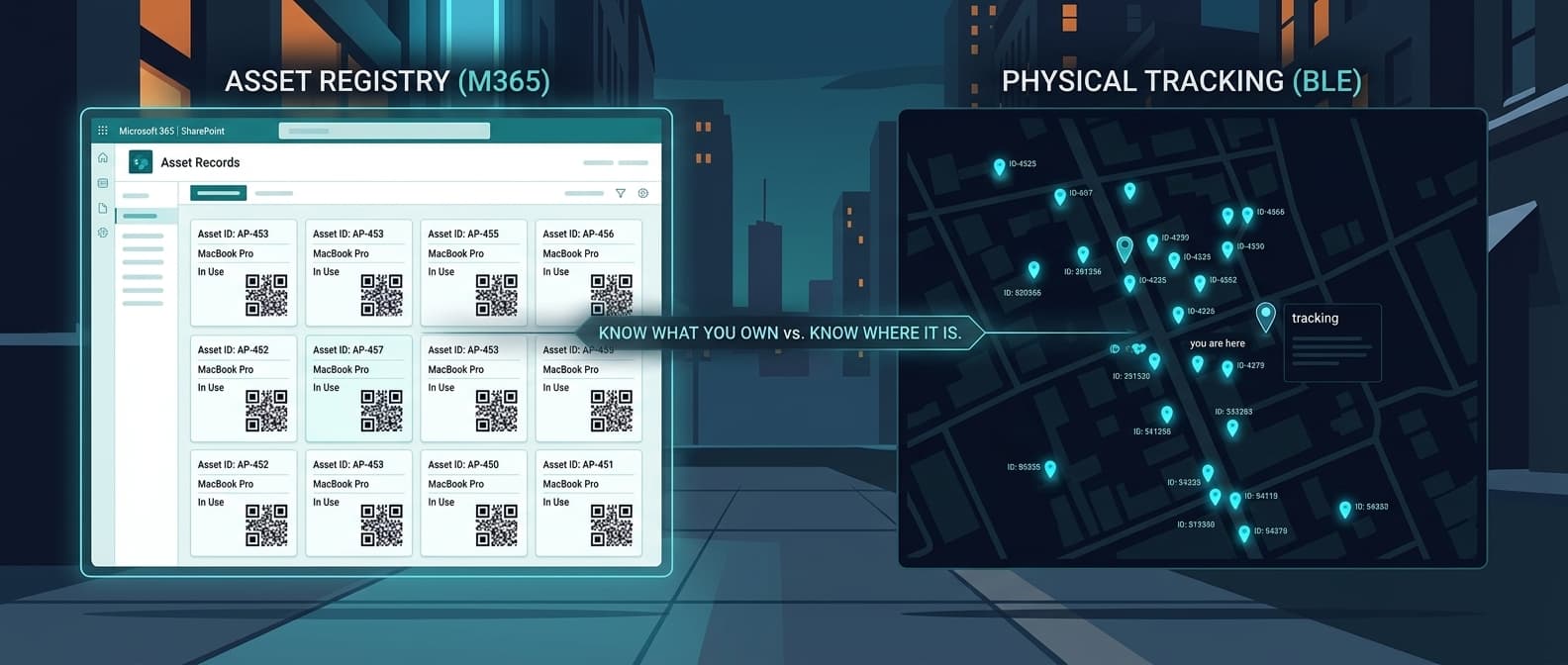
Asset Management 365 by CubicLogics (part of the HR365 / Apps365 suite) is a well-built Microsoft 365 asset registry. It tells you what you own. It does not tell you where it is.
That gap closes the moment you realize your SharePoint record says "Assigned to Site B" and the asset is 40 miles in the wrong direction. The database is accurate about who checked it out. It has no idea it moved.
Airpinpoint is the location layer. Attach a beacon, and the asset's position updates automatically through Apple's Find My network. No QR scan, no manual SharePoint entry, no phone call to Site B to confirm the thing is actually there.
What Asset Management 365 Actually Is
CubicLogics builds Microsoft 365 / SharePoint / Teams apps. Asset Management 365 is their asset tracking module: a SharePoint-native application that gives you a structured register of your assets, with check-in/out workflows, QR code scanning, depreciation tracking, and lifecycle management, all inside the Microsoft 365 environment your team already uses.
It is not a GPS tracking product. It is not trying to be. The product page doesn't mention GPS once. The "location" in Asset Management 365 is a field in SharePoint that reflects wherever a human last logged the asset. That's a fundamentally different thing from knowing where an asset physically is right now.
G2 lists the product under the CubicLogics HR365 suite with a 4.8 rating. The strengths reviewers cite are consistent: deep M365 integration, strong QR/barcode workflows, clean SharePoint deployment, and good support.
What Each Tool Actually Does
These two products don't compete. They solve different halves of the same operational question.
Asset Management 365 answers: what do we own, who has it, what is its status, when was it last serviced, what is it worth after depreciation, when does the maintenance contract expire. It is a structured database with SharePoint UI, check-in/check-out workflows, QR scanning, and audit trails.
Airpinpoint answers: where is this asset right now, has it left the geofence, did it move after hours, where has it been this month. It is a live map with automatic location updates, alerts, and history.
Head-to-Head Comparison
| Feature | Asset Management 365 (CubicLogics) | Airpinpoint |
|---|---|---|
| Primary function | M365 asset registry and lifecycle management | Real-time physical location tracking |
| Platform | SharePoint / Microsoft Teams | Any browser |
| Price | Free (20 users) to $249.99/yr flat (300 users) | $11.99/device/mo |
| Location tracking | Manual field / QR scan update | Automatic via Apple Find My network |
| Live map | No | Yes, with location history |
| Geofence alerts | No | Yes, polygon-based with custom schedules |
| Check-in/check-out | Yes, with audit trail | No (not a registry) |
| QR/barcode scanning | Yes, built-in | No (uses BLE beacons instead) |
| Depreciation tracking | Yes | No |
| Lifecycle management | Yes | No |
| Microsoft 365 integration | Native (SharePoint, Teams, Intune, Power Automate) | REST API; no native M365 integration |
| Hardware required | None (software only) | BLE beacons ($12-25 each) |
| GPS or BLE | No | Yes (NRF52810 BLE, ~7-year battery) |
| After-hours alerts | No | Yes |
| API | Enterprise tier only | Yes (all plans) |
| G2 rating | 4.8 (HR365 suite) | N/A |
Where Asset Management 365 Excels
Native Microsoft 365 Fit
If your organization runs on Microsoft 365, Asset Management 365 installs directly into SharePoint and Teams. There is no separate login, no data leaving M365, no new SSO to configure. Assets, audit trails, and workflows live inside the same environment as the rest of your documents and communication. For IT departments and Microsoft-centric organizations, this matters.
Check-In/Check-Out Workflows
The check-in/out module is solid. Scan a QR code on the asset, assign it to a user or location, log the handoff, and get it back with a return scan. The audit trail shows every custody change. For tools, AV equipment, or IT hardware that circulates between people, this workflow handles the accountability side cleanly.
Depreciation and Lifecycle Tracking
Asset Management 365 tracks purchase date, cost, depreciation method, and residual value. It can alert you on maintenance schedules and warranty expirations. For accounting and compliance purposes, this is the data your asset register is supposed to hold. Airpinpoint does none of this.
Pricing
The free tier for 20 users is a genuinely useful starting point. The Premium plan at $149.99 per year flat for 200 users works out to $0.75 per user per year. For a Microsoft-shop that wants structured asset records, this is nearly free. Enterprise at $249.99/year for 300 users with unlimited assets is similarly cheap as software costs go.
Where Asset Management 365 Falls Short
No Passive Location Awareness
The product's location data is only as current as the last QR scan or manual update. If a trailer leaves a job site without a check-out scan, Asset Management 365 thinks it's still there. If someone borrows equipment over a weekend without logging it, the SharePoint record is wrong until they return and scan it. In fast-moving field environments, the database drifts from reality within hours.
No Alerts for Physical Movement
Asset Management 365 cannot tell you when an asset left a geographic area. It cannot alert you at 2 AM when a generator crosses the job site fence. There is no geofencing, no after-hours monitoring, no movement detection. The system is reactive, not real-time.
SharePoint Dependency
The M365 native fit is also a constraint. If someone is in the field without connectivity, or working on a tablet not logged into the corporate tenant, checking out or logging an asset requires extra steps. The experience for field teams who aren't at a desk is more friction than scanning a QR code in a warehouse.
No Location History
You can see the current logged location and the history of who checked it out. You cannot see a map of where the asset physically traveled. You cannot run a report on how many hours an asset spent at each job site, or pull location data for an insurance claim after a theft.
Where Airpinpoint Fills the Gap
Automatic Location Without Human Action
Airpinpoint beacons use Bluetooth Low Energy to broadcast their presence. Any nearby iPhone, iPad, or Mac relays that signal through Apple's Find My network, which spans over a billion active Apple devices globally. Location updates automatically without any scan, check-out, or manual entry. The asset moves, the map updates.
Geofence Alerts
Draw a polygon around a job site, warehouse, or storage yard. When a tracked asset enters or exits, you get an alert. Set time-based schedules so after-hours movement triggers a notification. This is the theft-prevention layer that a SharePoint database cannot provide.
Location History
Every location point is stored. Pull up any asset and see where it has been over the past week, month, or longer. This data serves insurance claims, equipment utilization analysis, and accountability reporting. Asset Management 365's audit log shows who scanned what. Airpinpoint's history shows where the thing physically went.
No Maintenance Burden
Airpinpoint's NRF52810 beacons have a ~7-year battery life. Attach one and it runs. No QR codes to reprint when they fade, no stickers to replace when they peel off in weather.
The Real Decision: Registry vs. Location
This is not a replacement decision. It is a "which problem am I solving" decision.
Asset Management 365 is the right tool when:
- You need a structured asset register inside Microsoft 365
- Check-in/check-out accountability and audit trail matter
- Depreciation tracking and lifecycle management are required
- Your team already lives in SharePoint and Teams
- Budget is tight and a flat-rate $149.99/year tier fits
Airpinpoint is the right tool when:
- You need to know where assets are physically, right now
- Assets move between sites without predictable scan opportunities
- Theft or unauthorized movement is a genuine risk
- Manual QR updates can't keep up with operational tempo
- You need geofence alerts, location history, or after-hours monitoring
You need both when:
- You want lifecycle registry AND physical location tracking
- Your SharePoint records are accurate about what you own but useless for finding it
- Field teams check out equipment but don't always remember to scan it back in
- An insurance claim or utilization report might require location proof
Cost Comparison
Asset Management 365 (50 assets, one year)
- Standard (free): $0/year, 20 users, basic tracking
- Premium: $149.99/year flat (up to 200 users)
- Enterprise: $249.99/year flat (up to 300 users, unlimited assets)
Airpinpoint (50 assets, one year)
- Hardware: 50 beacons at $12-25 each = $600-1,250 (one-time)
- Subscription: $11.99/device/mo = $599.50/mo, or $7,194/year
- Annual cost: $7,794-8,444 including hardware
Both Together (50 assets)
- Asset Management 365 Premium: $149.99/year
- Airpinpoint: $7,194/year + $600-1,250 one-time hardware
- Annual recurring: ~$7,344/year (subscription); add $600-1,250 hardware once
Asset Management 365's pricing is flat-rate per tenant and nearly negligible at scale. Airpinpoint costs more because it includes physical beacons, cellular-tier coverage through over a billion relay devices, and continuous location data. The question is whether knowing where your assets are is worth $12/month per asset. For a company that has lost one $4,000 piece of equipment to theft or misplacement, the math resolves fast.
Migration Path
If you run Asset Management 365 today and want to add location tracking, there is nothing to migrate.
- Keep Asset Management 365 for your SharePoint asset register, check-in/out, and lifecycle management
- Sign up for Airpinpoint at airpinpoint.com
- Order beacons ($12-25 each) for the assets you need to locate physically
- Attach beacons to high-value or high-mobility assets first
- Use Airpinpoint's API to push location data back into SharePoint asset records if you want one view
Start with 10 beacons on your most critical assets. Your Asset Management 365 setup stays untouched.
The Bottom Line
Asset Management 365 is a well-built Microsoft 365 asset registry. At $149.99/year flat for 200 users, it is one of the cheaper ways to get structured asset records, QR check-in/out, and depreciation tracking inside a SharePoint environment your team already uses.
But it is a database, not a tracker. It knows your drill costs $800, was purchased in November, is assigned to crew C, and is due for calibration in August. Airpinpoint knows it is currently at 33.7490 N, 84.3880 W, arrived at that location at 7:22 AM, and has not moved since.
One tool manages the asset record. The other finds the asset. For Microsoft shops that need both, the answer is not to pick one. It is to keep Asset Management 365 for the registry and add Airpinpoint as the location layer it was never built to be.

 Our Solution