Vending Machine Tracker: GPS Fleet Tracking for Vending Operators
IBISWorld counts 15,185 vending machine operators in the US in 2025, in an industry it sizes at $7.7 billion (IBISWorld, Vending Machine Operators in the US). Widen the lens to convenience services, which folds in micro markets and office coffee, and Automatic Merchandiser's State of the Industry survey put 2025 revenue at $40.04 billion, up 18.3% on the prior year (Vending Market Watch).
Divide the operator count into any credible estimate of installed machines and the same picture falls out: the typical operator is responsible for hundreds of machines scattered across a metro area, in office lobbies, warehouses, hospitals, gyms, and apartment complexes. Most have no live view of where those machines actually are, because nothing in a vending management system tracks the machine as a physical object.
A single machine costs $3,000 to $8,000 new. Losing even one to theft wipes out months of profit from that location.
Why Vending Operators Need Machine Tracking
Theft and Vandalism
Numbers get thrown around here that trace back to nothing. We looked for a credible industry figure on the share of machines hit by theft or vandalism each year and could not find one behind a named survey, so we are not going to quote one. What we can tell you is the shape of the loss and what each type costs you, because those you can price yourself.
Full machine theft is rarer than break-ins and far more expensive: replacing a combo machine runs $4,000-$6,000 before you account for lost revenue, restocking, and the placement you may not get back when the venue loses patience.
Common theft scenarios for vending operators:
- Machine theft: Someone backs a truck up to a machine at 2am and loads it. Without tracking, you discover the loss days later during a service run.
- Cash box break-ins: Physical damage plus stolen cash. The shift to cashless is genuinely reducing the prize: NAMA's 2025 survey found 78% of US vending transactions are now cashless, up from 42% in 2020, and 77% of those were contactless. Less cash in the box means less reason to break into it, though the repair bill for a forced door does not care.
- Internal theft: Route drivers skimming cash or product. Location data creates accountability.
- Component stripping: Compressors, coin mechanisms, and bill validators have resale value.
Placement Verification
Many vending agreements are commission-based: the venue provides the space, the operator provides the machine, and revenue is split. Disputes happen.
Venue owners ask: "Is the machine actually here? When was it last serviced? You said you'd place it by Monday."
Without tracking, you're relying on driver reports and memory. With GPS tracking, you have timestamped proof that your machine arrived on Tuesday at 9:14am and has been at the location continuously since.
Route Optimization
Route inefficiency is one of the few big costs a vending operator actually controls. Published claims about how much routing software saves range from 10% to 30% of miles depending on who is selling it, and every one of those figures comes from a vendor's own blog rather than a study, so treat them as marketing and measure your own.
Here is the part that is not in dispute, because it is a mechanism rather than a percentage. Two separate things waste route miles:
- Servicing machines that did not need it yet. This is a telemetry problem. Sales data from your VMS tells you what is actually empty. Location tracking does not help here at all, and any vendor who says otherwise is selling you the wrong product.
- Driving to where a machine is not. Building management moved it to a storage room during a renovation. It went to a different floor. It was pulled and nobody logged it. The driver finds out on arrival, having burned the trip.
Only the second one is a tracking problem, and it is smaller than the first in most fleets. Be honest about that split when you build the case. Count how many service calls last quarter ended with a driver finding no machine where the route sheet said. Multiply by your cost per stop. That, not a 40% headline, is what a live map is worth to your routing.
Multi-Site Inventory Visibility
Operators managing 50-500 machines across a metro area face a basic question daily: where is everything? Machines get moved by janitorial staff. Building managers relocate them during renovations. New placements get mixed up with existing ones.
A fleet dashboard showing every machine's current location, last update time, and movement history replaces the spreadsheet-and-memory system most operators run on.
How Vending Machine GPS Tracking Works
AirTag-Based Tracking
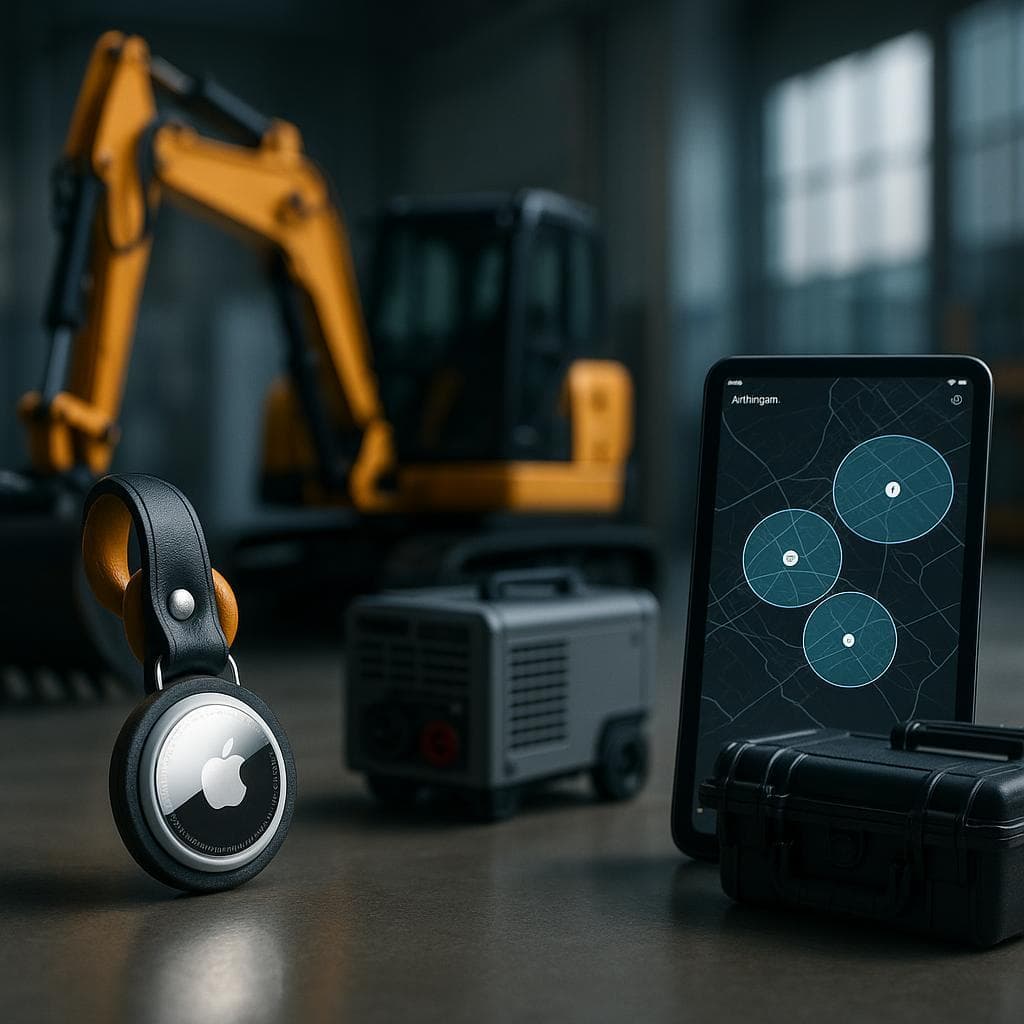
The most cost-effective approach for vending fleets:
- Place an AirTag inside each machine's locked cabinet ($29 per machine, one-time cost)
- Register each machine in Airpinpoint (business dashboard with fleet management)
- Set geofence alerts around each placement location
- Monitor your entire fleet from one map view
AirTags use Apple's Find My network, which leverages the billion+ active Apple devices worldwide to relay Bluetooth signals. In urban and suburban areas where vending machines are typically placed, coverage is dense and reliable.
Why this works well for vending:
- A placed machine is stationary until something goes wrong, so you do not need second-by-second reporting. You need to know the day it moves
- Vending locations tend to be in commercial areas with high foot traffic (and therefore high iPhone density)
- The locked cabinet protects the AirTag from tampering
- No charging or battery swaps needed for over a year (CR2032 battery, ~$1)
Dedicated Cellular GPS Trackers
For operators with machines in rural areas, industrial parks, or locations with low foot traffic, cellular GPS trackers provide an alternative:
| Feature | AirTag + Airpinpoint | Cellular GPS Tracker |
|---|---|---|
| Hardware cost | $29 per machine | $50-200 per machine |
| Monthly cost | From $11.99/mo | $10-25/mo per device |
| Battery life | 1+ year (CR2032) | 1-5 years depending on reporting frequency |
| Coverage | Excellent in urban/suburban | Works anywhere with cell signal |
| Update frequency | Opportunistic (minutes in busy areas) | Configurable (hourly to real-time) |
| Fleet dashboard | Yes (Airpinpoint) | Varies by provider |
The dividing line is Apple device density around the placement, not geography per se. An office lobby, a hospital, a gym or an apartment building reports well because people with iPhones walk past the machine all day. A machine in a fenced industrial yard, a rural plant with a small night crew, or a basement with no foot traffic may go quiet for long stretches. Sort your own placements by how many people pass the machine on a normal day and the list sorts itself. Use cellular trackers on the quiet end.
Key Features for Vending Operators
Geofence Alerts
Draw a boundary around each machine placement. If the machine moves outside that boundary, you get an alert once seven consecutive reports agree it is gone, which at a placement with people walking past means roughly 15 to 40 minutes. This is the single most valuable feature for theft prevention.
Practical applications:
- Theft detection: Machine leaves its location at 3am on a Saturday. You get an alert, check the live location, call police with coordinates.
- Unauthorized relocation: Building management moves your machine to a storage room during renovations. You find out the same day, not during the next service run.
- Placement confirmation: New machine placed at a location. The geofence confirms it arrived and stayed.
Location History
Every location update is logged with a timestamp. This creates a permanent record of:
- When the machine was placed at a location
- How long it has been there continuously
- Any movements or relocations
- Service visit patterns (driver's phone triggers an AirTag update when nearby)
This data is useful for:
- Commission disputes: Prove the machine was on-site for the full billing period
- Insurance claims: Document the machine's location history before and during a theft
- Operational audits: Verify driver routes match planned schedules
Fleet Dashboard
One map showing every machine in your fleet. Color-coded by status, filterable by location or group. This replaces the combination of spreadsheets, paper route sheets, and driver phone calls that most operators use today.
| Dashboard Feature | Operator Benefit |
|---|---|
| Map view of all machines | Instant visibility into fleet distribution |
| Last-seen timestamps | Identify machines that haven't been updated (possible issue) |
| Geofence status | Green = in place, Red = moved |
| Location history | Click any machine to see its movement timeline |
| Export data | Pull reports for venue owners or accounting |
Cost Analysis: Tracking ROI for Vending Operators
The Math
For a 100-machine fleet, the cost side is exact and the benefit side is yours to fill in. We do not publish vending case studies and are not going to invent one.
| Cost Category | Without Tracking | With AirTag Tracking |
|---|---|---|
| Hardware (one-time) | $0 | $2,900 (100 AirTags at $29) |
| Monthly service | $0 | $11.99 per tag, so $1,199/mo at list before volume discount |
| Annual tracking cost | $0 | ~$14,388/year at list, less with volume pricing |
| Machines lost to theft/year | Your number, from insurance claims and write-offs | Only the share where a location trail changes the outcome |
| Wasted service miles/year | Stops where the driver found no machine, x cost per stop | The portion caused by a machine having moved |
| Placement disputes | Count them, and the hours each takes to settle | Settled from a timestamped history instead of memory |
How to work out payback: total your last three years of machine losses, then ask the harder question, which is what share of those a location trail would actually have recovered. A machine loaded onto a truck and driven to a scrapyard two states away may report its trail and still not come back, because recovery runs through the police on their timeline and we have no law enforcement partnerships. Be conservative with that share. If tracking the whole fleet does not clear the bar, tag the highest-risk placements only. Partial coverage is where the arithmetic usually works first.
Cost Per Machine
- AirTag: $29 one time
- Airpinpoint Business plan: $11.99 per tag per month, with volume discounts on larger deployments
- Battery replacement: ~$1/year
- Total first-year cost per machine: about $173 at list, then about $144 a year
Set that against the machine's replacement cost, against what you would pay a cellular tracker vendor for the same coverage ($50-200 hardware plus $10-25 a month each), and against the revenue a placement generates over the months it takes to replace a stolen machine and re-earn the venue's trust.
Existing Vending Management Platforms
Most vending management software focuses on inventory, sales telemetry, and cashless payments, not physical machine tracking:
- VendSoft: Route optimization, inventory management, profit tracking. No built-in GPS for the machines themselves.
- Vendon: IoT telemetry for sales data and payment processing. Tracks transactions, not physical location.
- Cantaloupe (formerly USA Technologies): Cashless payment and inventory monitoring. Market leader in vending telemetry.
- Parlevel Systems: Warehouse and route management with pre-kitting.
These platforms tell you what's selling and when to restock. They don't tell you if your machine has been stolen, moved, or is actually at the address you think it is.
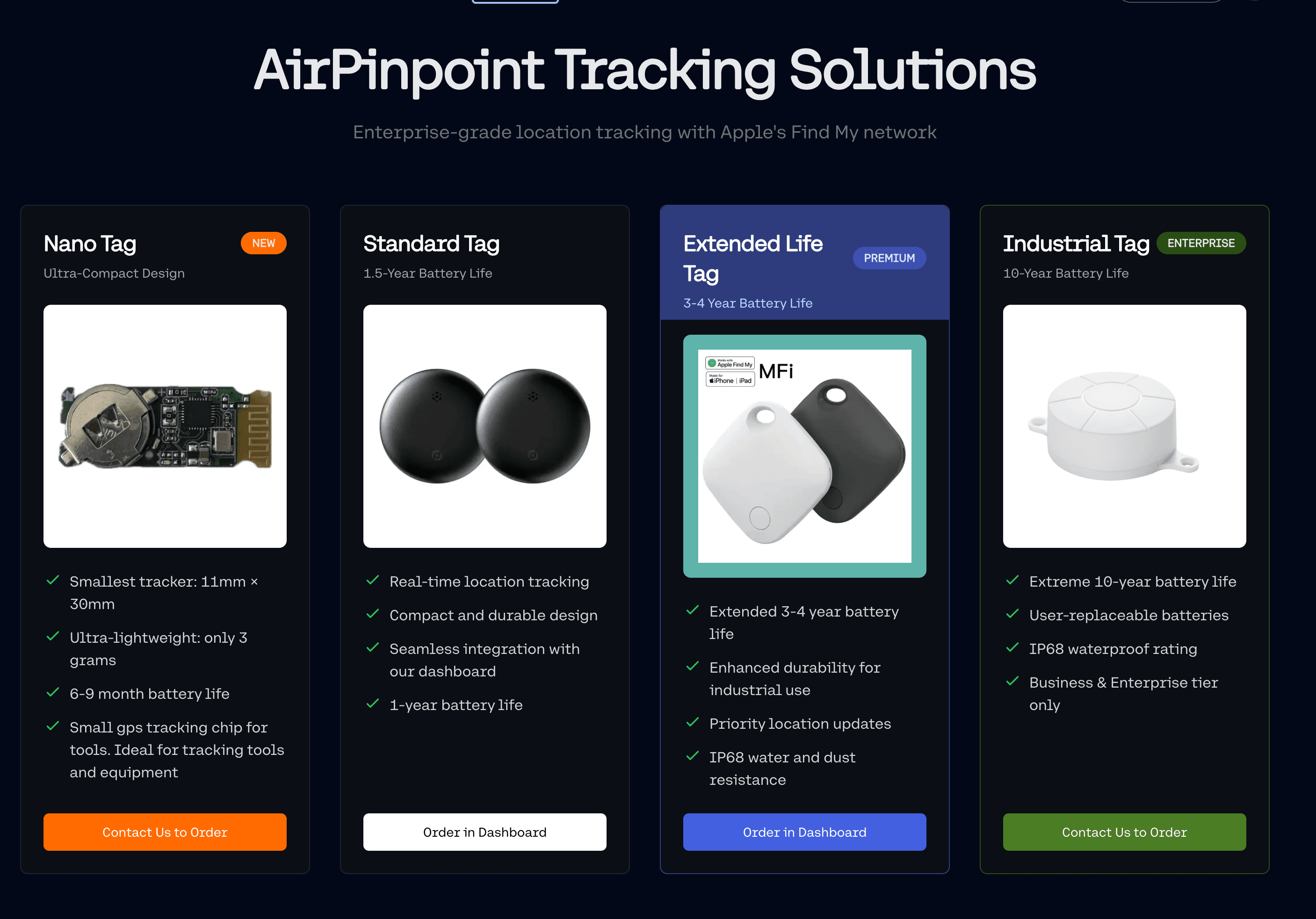
Airpinpoint fills that gap. Use your existing VMS for sales and inventory. Use Airpinpoint for physical asset tracking, theft prevention, and placement verification.
Getting Started
Setup for a Vending Fleet
- Buy AirTags in bulk: Apple sells 4-packs for $99, which works out to $24.75 each, against $29 for a single. Airpinpoint supplies tags at $29 each if you would rather order hardware and dashboard together.
- Mount inside each machine: Use adhesive mounts on the interior cabinet frame. The locked door protects the tag.
- Register in Airpinpoint: Add each machine with its location, serial number, and placement details.
- Set geofences: Draw a boundary around each placement location. Takes about 30 seconds per machine.
- Brief your route drivers: Show them the fleet map so they can verify locations during service runs.
Naming Convention
Use a consistent naming scheme that your whole team can read at a glance:
V-001 | Breakroom | Acme Corp | 123 Main StV-002 | Lobby | St. Mary Hospital | 456 Oak Ave
This makes the fleet map immediately useful without clicking into each machine's details.
Scaling Up
Start with your highest-value machines or the locations with the most theft risk. Once you can see whether it is earning its keep, decide whether to extend. There is no reason to schedule a deployment: tagging a machine takes a couple of minutes, so it folds into service runs you are already making, and the pace is set by your route schedule rather than by any implementation project.
 Our Solution