Healthcare Asset Management: A Data-Driven Framework for Hospital Operations
How long does a nurse spend looking for an infusion pump? The published answers disagree by a factor of three. A Nursing Times survey run with GS1 UK found more than a third of roughly 1,000 nurses reporting at least an hour per shift. A GE Healthcare study cited by HIMSS put the average at about 21 minutes, while a Buffalo, New York health system measured 57 minutes including cleaning time.
Extrapolating the high end across the 1.7 million registered nurses in hospital and surgical settings, HIMSS estimates up to $14 billion a year in nurse productivity that could be redirected to patient care. Take that as an order of magnitude rather than a precise figure: it is an extrapolation from a self-reported survey, and the studies underneath it do not agree with each other.
Searching is only the visible cost. The deeper problem is that most hospitals have no reliable data on how their equipment is actually being used, which means every purchasing decision, every maintenance schedule, and every staffing plan is built on guesswork.
Healthcare asset management is the discipline of replacing that guesswork with data.
The Four Problems Asset Management Solves
1. The Utilization Gap
GE Healthcare's analysis, reported in Healthcare Finance News, puts average utilization of mobile medical devices at about 42%.
You will see an "optimal" benchmark quoted next to that number, usually 75 to 80 percent. We have not been able to trace that benchmark to a published study, so we are not going to repeat it as though it were one. What the 42 percent figure does support is a simple piece of arithmetic you can run on your own fleet: when a $15,000 infusion pump is in clinical use 42 percent of the time, the hospital paid $15,000 for about $6,300 worth of clinical capacity. Do that for each category and rank them.
| Metric | What to measure | Where the number comes from |
|---|---|---|
| Mobile asset utilization | Hours in clinical use divided by hours available, per category | Location or usage data, compared against GE Healthcare's 42% average |
| Excess inventory | Devices physically present on a unit but unassigned, counted on a night shift | A one-night manual audit, no technology required |
| Equipment found when needed | Percentage of searches that end without a substitution or a rental | Ask charge nurses to log it for two weeks |
| Preventive maintenance compliance | PMs completed on schedule divided by PMs due | Your CMMS, and it is already a Joint Commission reporting line |
Every one of those four is available to you without buying anything. Run them first. A tracking vendor cannot tell you your utilization gap, and any vendor who quotes you one before you have measured it is quoting someone else's hospital.
2. The Hoarding Cycle
When a nurse cannot find a clean, working IV pump within five minutes, they learn to hide one in the supply closet on their unit. Every unit does this. The result:
- Artificial scarcity. The hospital owns enough pumps. A share of them sit in unofficial locations that no inventory report knows about.
- Phantom demand. Department heads request more equipment because from where they stand, the unit really is short. It is short of findable pumps, not of pumps.
- Over-purchasing. Purchasing has no way to distinguish a genuine capacity shortfall from a visibility failure, so it funds both the same way.
The hoarding cycle is self-reinforcing. More stockpiling creates more apparent shortages, which triggers more purchasing, which creates more equipment to stockpile. Breaking it requires visibility into where equipment actually is, not where the last manual audit said it was.
3. Shrinkage and Loss
Between 10-20% of mobile hospital assets are lost or stolen during their useful life. That range is attributed to the World Health Organization and repeated across the RTLS vendor literature, usually without a link to the primary source, so treat it as a working estimate. Equipment leaves with discharged patients, gets left in ambulances, or ends up on a resale site.
Your own number is more useful than the range, and it takes an afternoon to produce:
| Input | Where it lives | What it tells you |
|---|---|---|
| Devices written off last year as lost or not found | Biomed inventory reconciliation | Your actual annual loss, at your actual mix |
| Replacement purchase orders tagged to those write-offs | Accounts payable | What the loss cost, not what it was booked at |
| Supplemental rental invoices | Accounts payable | What you paid to cover gaps the loss created |
| Hours of biomed and materials time spent reconciling | Department timekeeping | The administrative tail, which nobody budgets for |
Add those four. That total is what a tracking program has to beat, and unlike a published range it will survive questioning in a capital committee.
4. Compliance Exposure
The Joint Commission (formerly JCAHO) requires:
- A written inventory of all medical equipment, including vendor-owned devices
- A medical equipment management plan with documented processes for safe operation
- 100% annual preventive maintenance with full documentation
- Risk-based categorization of all devices, with life-support equipment flagged as high-risk
Standards EC.6.10 and EC.6.20 are not optional. Accreditation failures put Medicare reimbursement at risk. Yet many hospitals still manage compliance through spreadsheets and manual audits, a process that consumes biomedical engineering time without producing reliable data.
The Asset Management Framework
Effective healthcare asset management operates across four layers. Most hospitals have pieces of each but lack the integration that makes them work together.
Layer 1: Visibility (Where Is It?)
The foundation. You cannot manage what you cannot see.
What this looks like in practice:
- Every mobile asset tagged with a BLE beacon, RFID tag, or Find My compatible tracker
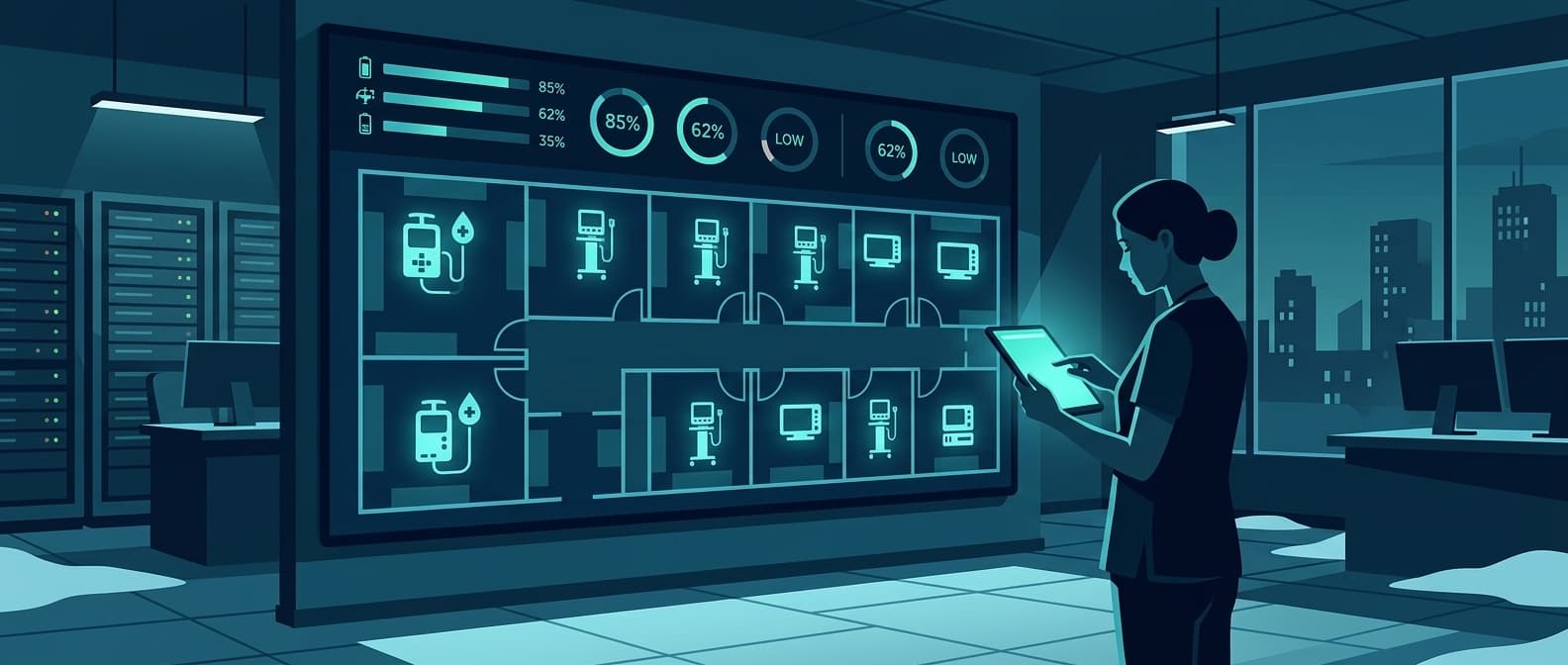
- Real-time location visible on a facility map
- Status indicators: in use, available, dirty, in maintenance
- Automated alerts when equipment leaves designated zones
The baseline metric: how long it takes a staff member to go from "I need a pump" to standing next to one. Measure it before you change anything, with a stopwatch, on a real shift.
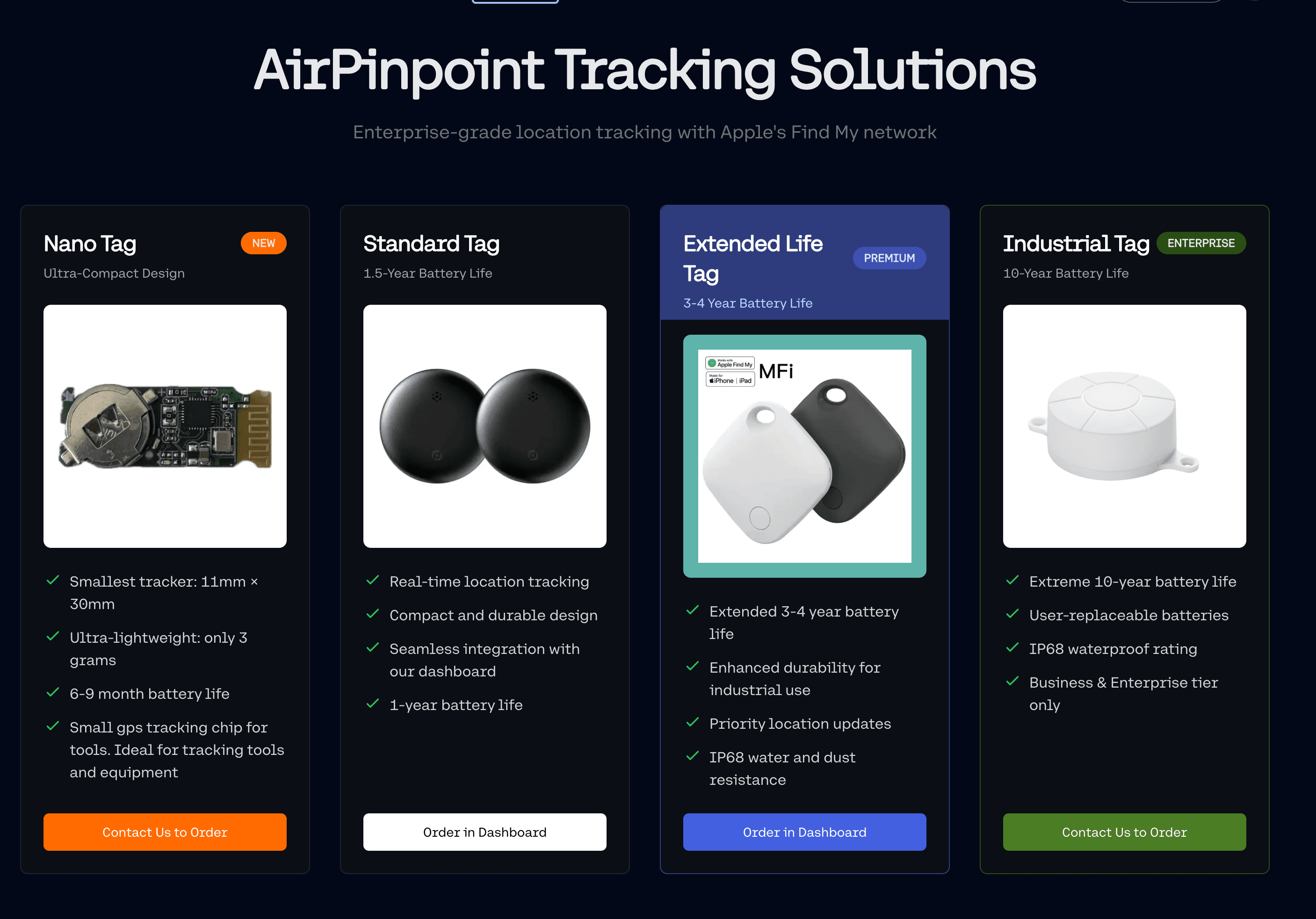
Apple Find My compatible tags managed through Airpinpoint are one way to build this layer without installing infrastructure, because the locating network is the billion-plus Apple devices already in the world rather than receivers you mount and cable. The honest limits matter here. A Find My tag updates when an Apple device passes near it, so a tag on a wheelchair in a busy corridor reports often while a tag in a basement storage room on a quiet night may not report for hours. Accuracy is roughly 10 to 30 meters, which is building and floor level, not "third shelf, second bay." If you need certainty that a device is in room 312 and not 314, you need a room-level system, and no Find My based product will get you there.
Layer 2: Utilization Analytics (How Is It Being Used?)
Raw location data becomes useful when it answers operational questions:
- Which units are hoarding equipment? Usage data shows when departments hold 3x their needed inventory.
- What is actual demand by time of day? Morning surgical prep may need 50 pumps; overnight needs 15. Right-sizing by shift reduces total fleet requirements.
- Which assets are underperforming? A pump that spends 80% of its time in the clean storage room either indicates over-supply or a workflow problem.
Target metric: pick one yourself and hold it steady. There is no published optimal utilization rate for medical devices that we can trace to a study, so a target pulled off a vendor slide is arbitrary. What is not arbitrary is the direction of travel, measured weekly against your own starting point.
| Utilization Band | Interpretation | Question to ask before acting |
|---|---|---|
| Well below your category average | Likely over-supply, or a workflow problem | Is the device unwanted, or just parked somewhere nobody looks? |
| Around your category average | Normal | Is the average itself low because everyone is hoarding? |
| Rising steadily after redistribution | The fleet was mis-allocated, not undersized | Can you defer the next purchase cycle instead of cutting the fleet? |
| Near saturation on a specific unit or shift | Genuine shortage, in that place at that time | Can you move units from a low-demand shift before buying? |
The column that matters is the last one. A utilization number on its own justifies nothing. Paired with a redistribution you actually tried, it justifies a capital decision.
Layer 3: Lifecycle Management (What Condition Is It In?)
Every medical device has a lifecycle: procurement, deployment, maintenance, repair, and disposition. Asset management connects these phases.
This layer belongs to your CMMS, not to a location tracker, and it is worth being blunt about the boundary. Airpinpoint does not schedule preventive maintenance, does not read usage hours, and does not talk to a device's service data. A Find My tag reports position. If a page anywhere tells you a $29 tag will tell you a ventilator is due for service, that page is selling you something that does not exist.
Preventive maintenance scheduling:
- Automated PM reminders based on usage hours, not calendar dates, which requires a device that reports usage hours or a CMMS integration that does
- A ventilator used 12 hours/day needs PM sooner than one used 2 hours/day
- Compliance tracking tied to Joint Commission requirements
Replacement forecasting:
- Depreciation curves based on actual usage data, not accounting assumptions
- Repair-vs-replace decision support: when cumulative repair cost exceeds 50% of replacement value, flag for capital planning
- Fleet age distribution analysis to avoid replacement cliffs (20% of fleet aging out simultaneously)
Total cost of ownership tracking:
- Acquisition cost + maintenance + repairs + downtime + disposal
- Benchmark against peer facilities
- Vendor contract optimization: negotiate service agreements based on actual failure rates, not vendor estimates
Layer 4: Strategic Planning (What Should We Buy Next?)
The top layer converts operational data into capital and budget decisions.
Data-driven procurement:
- Purchase quantities based on peak utilization data, not department requests
- Standardize makes and models to reduce maintenance complexity and training burden
- Time purchases to align with vendor fiscal quarters for better pricing
Capacity planning:
- Model equipment needs against projected patient volume
- Plan for seasonal demand (flu season, summer trauma, elective surgery scheduling)
- Account for new service lines or facility expansions
Implementation: A Phased Approach
Healthcare asset management programs fail when they try to do everything at once. The organizations that succeed follow a phased rollout.
Phase 1: Tag and Track (Months 1-3)
Goal: Establish visibility for top-priority assets.
- Identify your highest-impact equipment. Start with the assets nurses search for most. Infusion pumps, wheelchairs, and patient monitors are almost always the right first targets.
- Deploy tracking tags. Apple Find My compatible tags (like those managed through Airpinpoint) require no infrastructure installation and provide location data across buildings. For organizations wanting room-level precision, BLE beacon systems are the next step up.
- Create a live dashboard. Staff need a single screen showing equipment location and availability. If the tool is harder to use than walking the hallway, adoption will fail.
- Measure the baseline. Before any process changes, capture current search times, utilization rates, and equipment counts per department.
What to watch for in the first month:
- Hoarding patterns become visible quickly, because a device that sits in the same closet across three shifts shows up as a flat line on the history view
- Some assets currently carried as lost are simply in the wrong building. You find those the day you tag them, which is why tagging a known-missing category first makes the pilot easy to evaluate
- Search time should fall, but only measure it the way you measured the baseline. If the baseline was a survey and the follow-up is a stopwatch, you have proved nothing
Phase 2: Analyze and Optimize (Months 3-6)
Goal: Convert location data into utilization insights.
- Generate utilization reports by unit, shift, and asset type. Identify which departments are over-supplied and which are genuinely short.
- Redistribute equipment. Move excess inventory from low-utilization units to high-demand areas. This costs nothing and often solves perceived shortages.
- Implement par levels. Set minimum and maximum equipment counts per unit, enforced by the tracking system with alerts when thresholds are crossed.
- Reduce rental spend. Many hospitals rent supplemental equipment because they believe they don't own enough. Utilization data usually shows they do.
Where the savings actually come from, in order of how fast they land:
- Rental avoidance is first and easiest to prove. Every supplemental rental invoice is dated and itemized. If utilization data lets you cancel one, the saving is a line item, not an estimate.
- Deferred capital is second and larger. It shows up only at the next purchase cycle, and only if you can show purchasing that the last shortage was a distribution problem. Keep the redistribution evidence.
- Nurse time is real but hardest to bank. Recovered minutes do not reduce headcount, they change what the shift gets done. Say that plainly to finance rather than converting minutes into dollars and hoping nobody checks.
Phase 3: Integrate and Automate (Months 6-12)
Goal: Connect asset management to maintenance, compliance, and financial systems.
- Link to CMMS (Computerized Maintenance Management System). Trigger PM work orders based on location and usage data, not just calendar schedules.
- Automate compliance documentation. Every PM, inspection, and repair generates an auditable record. Joint Commission readiness becomes continuous, not a scramble.
- Connect to financial systems. Map actual depreciation to accounting schedules. Flag assets approaching end-of-life for capital budget planning.
- Build replacement forecasts. Model fleet replacement needs over a 3-5 year horizon based on usage trends and repair history.
Measuring Success
Healthcare asset management programs should track these KPIs monthly:
| KPI | How to measure it | Why this measurement and not another |
|---|---|---|
| Mobile asset utilization | Hours in clinical use over hours available, per category | Compare to your own month one, not to a vendor benchmark |
| Equipment search time | Stopwatch, same observer, same units, same shift | Surveys and stopwatches produce different numbers. Pick one and keep it |
| Preventive maintenance compliance | PMs completed on schedule over PMs due | You already report this to the Joint Commission |
| Equipment rental spend | Supplemental rental invoices, monthly | The cleanest saving to prove, because it is a cancelled invoice |
| Equipment purchases | Capital spend by category, per cycle | Only meaningful across a full purchase cycle, so do not claim it at month six |
| Staff experience | Two questions on the existing engagement survey | Adding a new survey instrument mid-program destroys your baseline |
We do not publish target numbers for these, and you should be skeptical of anyone who hands you a target before seeing your data. The whole point of measuring month one is that nobody, including us, knows where you are starting.
What the published record actually contains:
The healthcare asset tracking market has no independent trial data. What exists is vendor case studies. The best documented is Vizzia Technologies' Piedmont Healthcare case study, reporting over $2 million saved across an 11-hospital system, along with roughly 20 percent improvement in equipment utilization. Read it as what it is: a named vendor describing its own deployment at a named customer over several years, with no control group and several concurrent changes. That is still better sourcing than most of what circulates in this category, which is why we link it rather than paraphrase an anonymous version. Airpinpoint has no published case studies of its own, and we are not going to invent any.
Why Healthcare Organizations Choose Airpinpoint
Traditional RTLS means installing receivers throughout the building, running an RF survey, remediating dead zones, and signing a multi-year software contract. Vendors do not publish pricing, but the structure of the cost is clear enough: it scales with square footage, and the infrastructure has to be maintained. For many healthcare facilities, especially multi-site organizations, outpatient clinics, and long-term care facilities, that is more program than the problem warrants.
Airpinpoint provides a different path, and a narrower one:
- No infrastructure required. Apple Find My compatible tags locate against Apple's network of over a billion devices. No receivers, gateways, or access points to install.
- $29 per tag, one time, plus $11.99 per tag per month. The subscription covers the dashboard, location history, geofence alerts, team and organization permissions, CSV and JSON export, the REST API, and webhooks on geofence entry and exit.
- Multi-facility visibility. One dashboard across buildings and campuses, including equipment in transit between them, because the locating network is not tied to any building you own.
- Geofence alerts. Draw a boundary around a department, building, or campus and get an email, Slack, or WhatsApp notification when a tagged asset leaves it.
And the limits, which matter more in a hospital than in most settings:
- Alerts are not instant. A confirmed geofence alert typically lands 15 to 40 minutes after an asset leaves an authorized area, because the system waits for consecutive readings before firing rather than alerting on a single stray ping.
- Accuracy is roughly 10 to 30 meters. Building and floor level, not room level. This does not replace a clinical-grade RTLS in a surgical suite.
- Coverage depends on Apple device density. Busy corridors and lobbies report constantly. A basement storage room overnight may not report for hours.
- It tracks location, nothing else. No maintenance scheduling, no engine or usage hours, no temperature sensing, no integration with your CMMS or EHR, and no predictive analytics.
We have no published healthcare case studies and we are not going to name customers we do not have permission to name. Evaluate the product on the list above and on a pilot with your own assets.
Getting Started
The first step is understanding your current state. Tag your 50 highest-value mobile assets for 30 days and answer three questions from the location history:
- Where does equipment actually spend its time, by building and floor?
- Which devices never move, and are they parked because nobody needs them or because nobody can see them?
- Which departments hold more than their share, and does redistribution fix the shortage the next unit reported?
Note what that does and does not tell you. Location history shows where a device sat and for how long. It does not know whether a pump was infusing, so "in use versus idle" is an inference you make from movement patterns and your own knowledge of the workflow, not a reading off the device. That inference is usually enough to find a hoarding closet. It is not enough to sign off a capital reduction on its own.
Thirty days of that data will tell you whether a broader rollout is worth costing out, which is a more honest promise than a payback period.
See Airpinpoint pricing: $29 per tag one time, $11.99 per tag per month for the dashboard, history, geofence alerts, exports, and API.
 Our Solution