Furniture Inventory Management
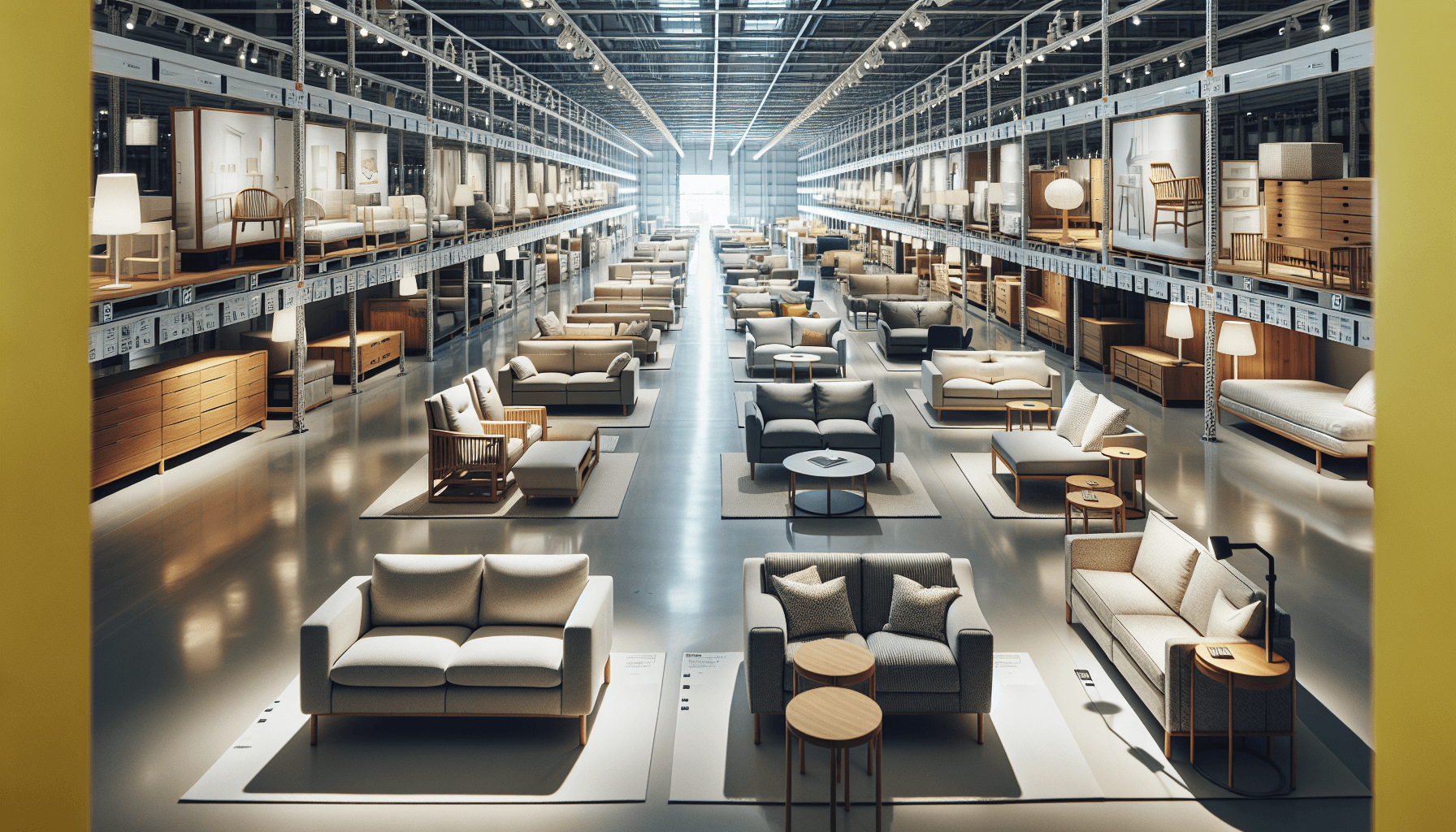
Furniture inventory is uniquely complex. A single sofa might come in 47 fabric options, 3 sizes, and 2 arm styles. That's 282 SKUs from one product. Add showroom displays, warehouse stock, and custom orders, and inventory management becomes a serious challenge.
Why Furniture Inventory Is Different
| Challenge | Regular Retail | Furniture Retail |
|---|---|---|
| Variants | Simple (S/M/L) | Complex (fabric × color × size × options) |
| Display vs sellable | Same thing | Floor models aren't for sale |
| Order type | In-stock | Often custom/made-to-order |
| Lead time | Days | Weeks to months |
| Delivery | Ship/pickup | White-glove, scheduled |
| Returns | Easy | Complicated (custom items) |
Key Inventory States for Furniture
Furniture exists in multiple states that general software doesn't track:
| State | Description | Sellable? |
|---|---|---|
| Available | In warehouse, ready to sell | Yes |
| On Display | Showroom floor model | Maybe (clearance) |
| Reserved | Held for customer | No |
| On Order | Custom, in production | No (committed) |
| In Transit | En route from manufacturer | No |
| Staged | Ready for delivery | No |
| Delivered | With customer | No |
Your software must distinguish these states or you'll sell what you don't have.
Top Furniture Inventory Management Software
Cin7
Best for: Multi-channel furniture retailers
Comprehensive inventory management with furniture-friendly features.
Furniture Features:
- Complex variant management
- Multi-location inventory
- B2B and B2C channels
- EDI integration with suppliers
- Warehouse management
Pricing: Cin7 Core from $349/month at list; Cin7 Omni is quote only. Both are sold on 12-month contracts (Cin7 pricing)
Katana
Best for: Furniture manufacturers
Manufacturing-focused with strong inventory control.
Furniture Features:
- Bill of materials for custom builds
- Production scheduling
- Raw material tracking
- Variant configuration
- Manufacturing integration
Pricing: Starter from $199/month at list. Katana sells manufacturing, planning and warehousing as separate add-on modules, so the working configuration for a furniture maker lands well above the entry price. Ask for the quote with every module you need switched on (Katana pricing)
STORIS
Best for: Traditional furniture retail
Purpose-built for the furniture industry.
Furniture Features:
- Furniture-specific workflows
- Special order management
- Delivery scheduling
- Sales floor integration
- Industry expertise
Pricing: Custom (contact for quote)
Furniture Wizard
Best for: Small furniture retailers
Affordable, furniture-focused solution.
Furniture Features:
- Customer order tracking
- Simple variant management
- Delivery scheduling
- Basic POS integration
- Easy implementation
Pricing: Not published. Furniture Wizard quotes per store, like STORIS
Sortly
Best for: Furniture rental and staging
Visual inventory management with photos.
Furniture Features:
- Photo-based inventory
- QR code tracking
- Rental/checkout support
- Location tracking
- Simple interface
Pricing: From $49/month, rising to around $149/month at 1,000 SKUs. A free tier covers very small catalogs (Sortly pricing)
Essential Features for Furniture
1. Variant Management
Handle complex product configurations:
- Fabric/material options
- Color selections
- Size variations
- Arm/leg styles
- Custom dimensions
Example: One sofa × 15 fabrics × 4 colors × 3 sizes = 180 variants
2. Showroom Inventory
Separate floor models from sellable stock:
- Mark items as "display"
- Track condition over time
- Manage clearance pricing
- Prevent accidental sales
3. Custom Order Tracking
Manage made-to-order items:
- Specification capture
- Lead time management
- Production status
- Customer communication
- Delivery scheduling
4. Multi-Location Visibility
See inventory across:
- Multiple showrooms
- Warehouse locations
- In-transit items
- Customer homes (delivered)
5. Delivery Integration
Furniture delivery is complex:
- White-glove scheduling
- Route optimization
- Delivery windows
- Assembly requirements
- Customer notifications
Managing Showroom vs Warehouse
The Floor Model Problem
Showroom displays create inventory confusion:
- Customers want the floor model (it's not for sale)
- Sales staff doesn't know what's in warehouse
- Floor model sold accidentally
- Clearance timing is unclear
Solution: Inventory States
Product: Leather Sectional - Charcoal
├── Warehouse: 3 available
├── Showroom A: 1 display (not for sale)
├── Showroom B: 1 display (clearance OK)
├── Reserved: 2 (customer deposits)
└── On Order: 4 (arriving in 6 weeks)
Your system should show this at a glance.
Tracking Furniture Assets
For furniture rental, staging, or high-value inventory:
When GPS Tracking Helps
| Use Case | Benefit |
|---|---|
| Rental furniture | Track items across customer locations |
| Staging inventory | Know which properties have what |
| Delivery verification | Confirm arrival at customer |
| Theft prevention | Locate stolen high-value pieces |
| Returns | Track items returning to warehouse |
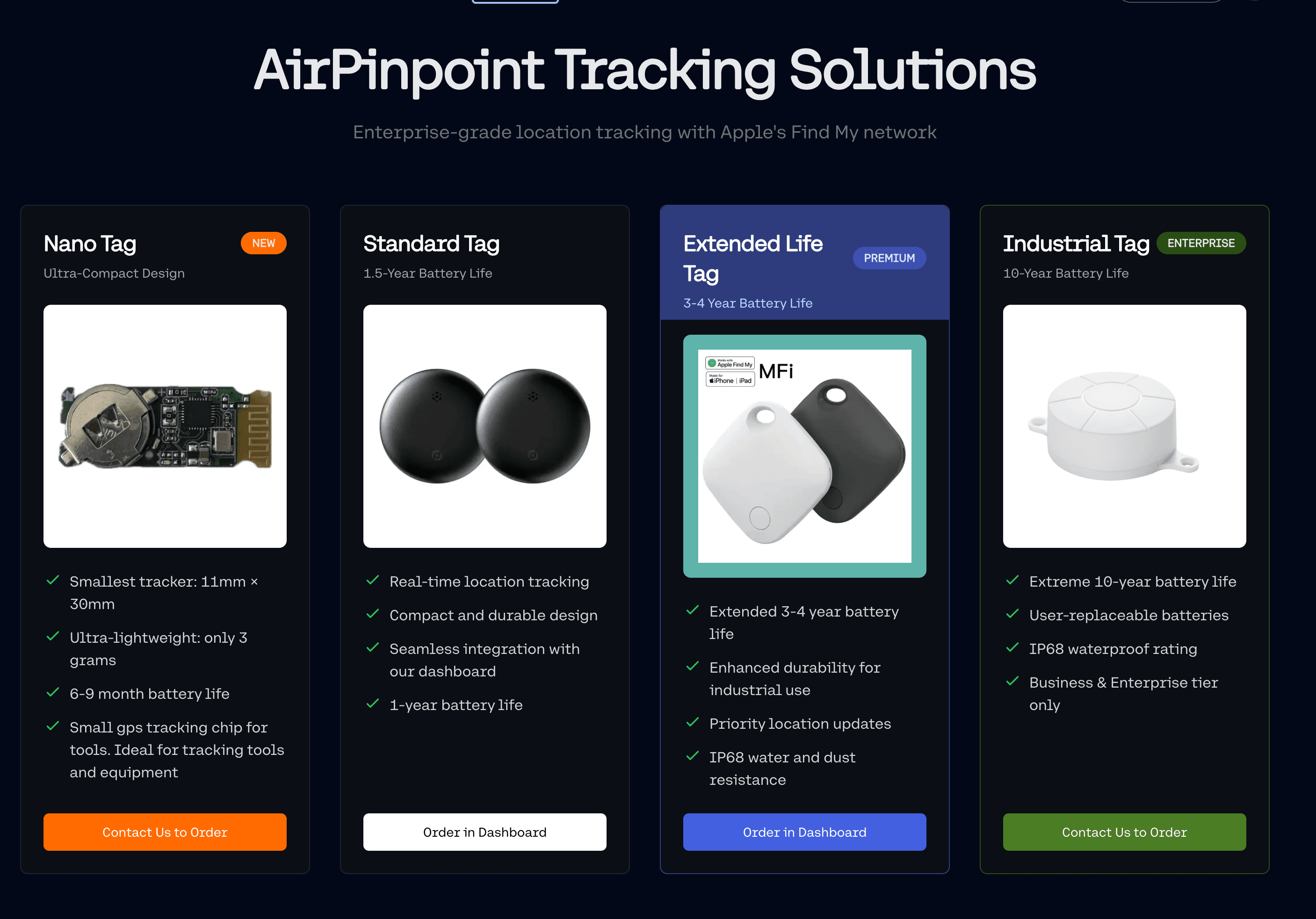
Airpinpoint for Furniture
Discreet tracking for high-value furniture:
- A Find My tag hides inside a frame, under a cushion deck or behind a drawer box, where it is invisible to a customer and survives a delivery
- Location updates arrive when an Apple device passes near the tag, so a piece in an occupied home or a staged property reports often, and a piece in a closed warehouse annex may go quiet for stretches
- Geofence a property or a warehouse and get an email when the piece leaves it. A confirmed alert typically lands 15 to 40 minutes after the move, because Airpinpoint waits for consecutive readings to agree rather than firing on one stray ping
- Location history gives you a timestamped record of where the piece has been, which is the document that settles a "we returned that in June" dispute
What it is not: a rental management system. Airpinpoint holds no contracts, no rental periods, no invoices and no counts. It holds location, history and alerts, and exports both to CSV and JSON so your rental system can hold the rest. Accuracy is roughly 10 to 30 meters, which tells you the address, not which room.
Implementation Roadmap
Week 1-2: Data Cleanup
Before new software:
- Audit all inventory locations
- Document variants per product
- Identify showroom vs sellable
- Clean up duplicate SKUs
Week 3-4: System Setup
Configure your software:
- Import product catalog
- Set up locations
- Configure variants
- Define inventory states
- Create user roles
Week 5-6: Integration
Connect to other systems:
- POS integration
- E-commerce sync
- Accounting connection
- Delivery scheduling
Week 7+: Training & Go-Live
Roll out to team:
- Sales staff training
- Warehouse procedures
- Management reporting
- Ongoing optimization
Common Mistakes to Avoid
1. Ignoring Variants
Don't try to track "Sofa - Blue" as one SKU when you have 20 blue options. Set up variants properly from the start.
2. Not Separating Display
Floor models need their own inventory state. Selling display items accidentally destroys customer trust.
3. Overselling Custom Orders
Custom orders aren't inventory. They're commitments. Track them separately with realistic lead times.
4. Manual Multi-Location
Spreadsheets for multiple locations leads to chaos. Use software that handles multi-location natively.
5. Skipping Delivery Integration
Furniture delivery is part of inventory management. Items aren't "sold" until successfully delivered.
ROI for Furniture Inventory Software
We do not publish furniture retail case studies, and a table of invented savings would not help you argue for a budget anyway. Here is the arithmetic instead, with your numbers in the blanks. Every input is something your POS or your accounting system already knows.
For a furniture retailer with $2M annual revenue:
The four costs worth measuring. Pull twelve months of data for each.
| Cost | The query | Your number |
|---|---|---|
| Oversells | Orders cancelled or refunded because the item was not actually available. Count them, then multiply by average order margin | |
| Purchasing error | Value of stock ordered against a count that turned out to be wrong. Your buyers can list these from memory, which tells you something | |
| Staff time on inventory questions | Hours per week spent answering "do we have this" by walking the warehouse, times loaded hourly rate, times 50 | |
| Display sold by mistake | Count the incidents. Each one costs the discount you had to give plus the replacement lead time you now owe a customer |
Then the delivery line, which is the one people get wrong. Failed deliveries are not an inventory cost in most stores, they are a scheduling cost. Only count them here if the failure was caused by the item not being where the system said it was. Otherwise you will build a case for inventory software that a routing fix would have solved for free.
Against that, the actual cost of the software. Get quotes, not category estimates. From the vendors above: Cin7 Core is $349/month at list on a 12-month contract, Katana starts at $199/month before add-on modules, Sortly runs $49 to $149/month, and STORIS and Furniture Wizard are both quote only. Add implementation, data migration and the weeks of staff time that neither vendor will quote you.
The honest test: if the four measured costs in that first table do not clearly exceed the annual software cost, the project is being justified on feelings. That is not an argument against doing it, plenty of good decisions are made on judgment, but do not dress it up as ROI in front of your CFO.
Getting Started
- Audit current inventory: Count everything, document variants
- Define your states: What inventory stages do you need?
- Choose software: Match features to your business type
- Clean your data: Fix issues before migration
- Train your team: Everyone uses the same system
- Add tracking: GPS for rentals/high-value items
Furniture inventory management done right mostly buys you one thing: the number on the screen matches the thing on the floor. Oversells, display-model mistakes and purchasing errors are all the same failure wearing different clothes, and they all get better when that one thing is true. What it costs you and what it saves you are numbers only your own data can produce, so run the four queries above before you sign anything.
 Our Solution