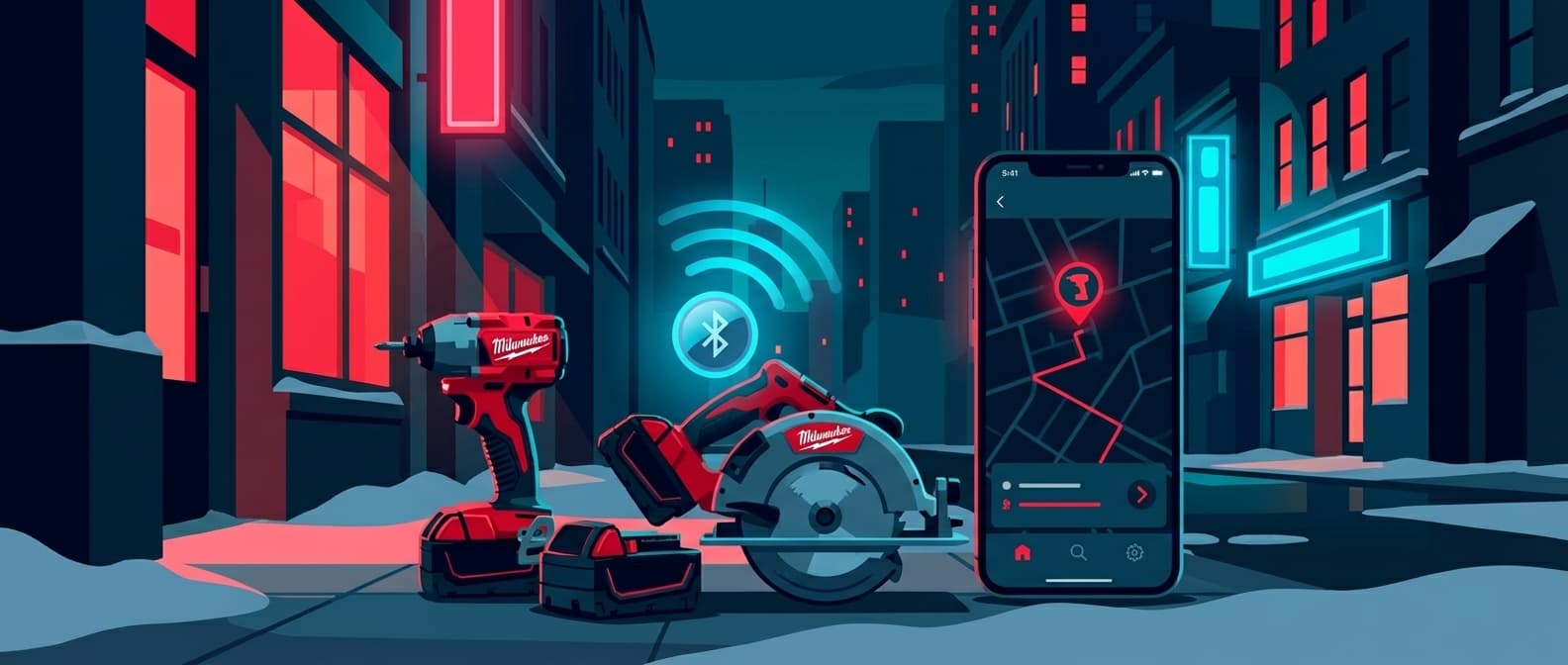
Milwaukee Tool Tracker: What ONE-KEY Actually Does (And Where It Falls Short)
Milwaukee's ONE-KEY is the most ambitious tool tracking system any power tool manufacturer has built. Over 120 tools now ship with ONE-KEY Bluetooth modules inside them. The app is free. The inventory management features are genuinely useful. And the newer Bluetooth Tracking Tags have a 300-foot range with built-in speakers.
But if you've spent any time on contractor forums or read the Home Depot reviews, you know the tracking part has real limitations. This post breaks down exactly how Milwaukee's tracking ecosystem works, what it's good at, where it struggles, and what to do if your crew runs more than one brand.
How Milwaukee ONE-KEY Tracking Actually Works
ONE-KEY tracking is Bluetooth-based. There is no GPS chip in any Milwaukee tool or tracking tag. When people call it a "Milwaukee tool tracker," they're describing a system that works like this:
- A ONE-KEY enabled tool (or a TICK/Bluetooth Tag attached to any tool) broadcasts a Bluetooth signal.
- That signal can only be picked up by a phone running the Milwaukee ONE-KEY app.
- When the app detects the signal, it logs the phone's GPS coordinates as the tool's "last seen" location.
- You check the ONE-KEY app to see where and when each tool was last detected.
The location you see in the app is not the tool's actual GPS position. It's the position of the last phone that happened to be near the tool while running the ONE-KEY app.
This distinction matters more than any other spec.
The THREE-KEY difference: what each piece does
Milwaukee's tracking ecosystem has three separate things going on, and contractors often conflate them:
1. ONE-KEY Enabled Tools (built-in Bluetooth)
Over 120 Milwaukee M18 tools now have Bluetooth modules built in. These tools connect to the ONE-KEY app for two purposes: tool customization (adjusting RPM, torque, trigger ramp-up) and tool tracking. The customization features are excellent. You can set specific profiles for different fasteners and materials, save them to the tool's memory, and access them from the tool's physical buttons without reopening the app. This is a real competitive advantage that no other tool brand matches.
The tracking side works passively: the app notes the tool's presence whenever your phone is within Bluetooth range.
2. TICK Trackers (~$20 each, being phased out)
The original TICK is a small Bluetooth puck you attach to any piece of equipment, any brand. It broadcasts within ~100 feet, runs on a CR2032 coin cell battery (about 1 year), and requires manual battery replacement. Milwaukee has acknowledged that the TICK's pairing process was frustrating, requiring users to pull the battery out, wait 10 seconds, and reinsert it.
3. ONE-KEY Bluetooth Tracking Tags (~$30 each, current generation)
The newer Tracking Tag (model 48-21-2301) replaces the TICK with significant improvements:
- 300-foot Bluetooth range (3x the TICK's 100-foot range)
- 3-year built-in battery (no replacement needed)
- Built-in speaker for locating items within 50 feet
- NFC and QR code for instant setup (no Bluetooth pairing dance)
- Accelerometer for motion-based location updates
- Weather, dust, and impact resistant
- Can be glued, screwed, riveted, or zip-tied to any equipment
At $30 per tag, these are genuinely well-designed pieces of hardware. The 3-year battery alone makes them significantly more practical than the old TICKs.
What ONE-KEY Does Well
Credit where it's due. ONE-KEY excels at several things that matter to contractors.
Inventory Management
The app lets you catalog every tool you own, regardless of brand. You can add serial numbers, model numbers, purchase dates, and assign tools to specific workers or job sites. For companies tracking hundreds of tools across multiple crews, this alone justifies installing the app.
Tool Customization
This is ONE-KEY's killer feature and something no competitor offers. On supported tools (mostly M18 FUEL drills, impact drivers, impact wrenches, and some saws), you can:
- Set precise RPM ranges for each speed setting
- Adjust torque output
- Customize trigger ramp-up speed
- Create application-specific profiles (self-tapping screws into specific gauge steel, for example)
- Save custom profiles directly to the tool's memory
A plumber driving Unistrut all day can set a profile that prevents overdriving. An electrician working with #10 screws into metal studs can dial in the exact torque. Once configured, these settings persist on the tool itself. You don't need the app open to use them.
On-Site Tool Location
Within a single job site where your crew all has the ONE-KEY app installed, tracking works reasonably well. The app auto-scans for nearby ONE-KEY devices and logs their presence. When someone asks "where's the rotary hammer?", you can check the app and see that it was last detected near one of your crew members' phones 20 minutes ago.
For misplaced tools on an active site with multiple ONE-KEY users, the system does what it claims.
Where ONE-KEY Tracking Falls Apart
The problems start when tools leave your immediate orbit. And for most contractors, that's when tracking actually matters.
The Network Problem
ONE-KEY tracking depends entirely on the ONE-KEY network: the universe of phones running the Milwaukee app with Bluetooth enabled. This network is limited to Milwaukee tool owners who have downloaded the app AND kept it running in the background.
Compare that to Apple's Find My network: over 2 billion iPhones, iPads, and Macs that automatically and anonymously detect AirTags. No app installation required. No opt-in needed.
The practical difference is massive. An AirTag sitting in a parking lot gets detected by dozens of iPhones per hour. A ONE-KEY Tracking Tag in the same parking lot might go days without a single ONE-KEY app user walking within 300 feet.
One Home Depot reviewer put it bluntly:
"I installed a TICK on my equipment and it's only ever been located by my phone. Not once has it ever been seen by another ONE-KEY app user in 2 months."
Location Accuracy Issues
Because the system reports the GPS coordinates of the detecting phone, not the tool itself, accuracy depends on that phone's GPS quality. Contractors on forums report:
- "When mine does tell me a location it is usually a block off"
- "The app says my tools are still an hour away although they are currently in my garage"
- "In the app it claims my table saw was last seen off the coast of Africa"
These aren't fabricated complaints. They're the predictable result of a thin detection network combined with phone-based GPS reporting. If the only phone that detected your tag had spotty GPS or partially disabled location services, the reported position is unreliable.
On multi-story buildings, the problem compounds. As one contractor noted, Bluetooth tracking is inherently 2D. On an urban job site with multiple floors, the tracking tag can tell you "someone with the app was near this tool" but not which floor it's on.
Theft Recovery: Nearly Impossible
If a tool is stolen, ONE-KEY tracking requires the thief to walk within 300 feet of someone who has the Milwaukee ONE-KEY app installed and running. The probability of this happening is extremely low. Thieves don't tend to hang out near Milwaukee-loyal contractors.
Milwaukee's own documentation acknowledges this by positioning the TICK and Tracking Tags as inventory management tools rather than theft recovery devices. Pro Tool Reviews noted: "It's not a GPS locator and it's not really meant to find stolen tools/equipment."
This is an honest framing from Milwaukee, but it's at odds with what most contractors want when they search for a "Milwaukee tool tracker." They want to find stolen tools. ONE-KEY is not built for that.
The Mixed-Fleet Reality
And now the bigger problem: most job sites don't run a single brand.
A 2026 industry survey of professional contractors shows the average job site has tools from 3-4 different manufacturers. A typical electrical crew might run Milwaukee impact drivers, DeWalt drills, Makita circular saws, and Bosch rotary hammers. An HVAC contractor might standardize on Milwaukee for cordless but use Hilti for concrete work and Ridgid for pipe tools.
Each brand's tracking ecosystem is siloed:
| Brand | Tracking System | Range | Network | Price Per Tag |
|---|---|---|---|---|
| Milwaukee | ONE-KEY (TICK / Tracking Tag) | 100-300 ft | ONE-KEY app users | $20-30 |
| DeWalt | Tool Connect Tag | 100 ft | Tool Connect app users | ~$20-25 |
| Makita | None | N/A | N/A | N/A |
| Bosch | None | N/A | N/A | N/A |
| Hilti | ON!Track | Varies | Hilti ecosystem | Enterprise pricing |
| Ridgid | None | N/A | N/A | N/A |
If you're a Milwaukee-only shop, ONE-KEY covers your tools. But the moment you introduce a second brand, you have two options: manage a second tracking app (DeWalt Tool Connect), or accept that those tools are invisible.
And Makita, Bosch, Ridgid, Metabo HPT? They don't offer comparable tracking at all. Those tools are completely untracked in a brand-native approach.
DeWalt Tool Connect: Same Problem, Yellow Paint
DeWalt's Tool Connect system works almost identically to ONE-KEY. Tags broadcast Bluetooth, the Tool Connect app picks them up, and you get a last-seen location based on the detecting phone's GPS.
DeWalt's network has the same fundamental limitation: it consists only of people running the Tool Connect app. And DeWalt doesn't offer the tool customization features that make ONE-KEY genuinely useful beyond tracking.
The Tool Connect Tag is IP68 rated (slightly better water resistance than ONE-KEY's IP67) and features a blinking blue LED for visual location. But the tracking experience is functionally identical. You're betting on the same thin-network model.
Running both ONE-KEY and Tool Connect means managing two separate apps, two separate inventories, and two separate last-seen location feeds. Nobody wants this.
What Contractors Actually Need
After reading through hundreds of contractor forum posts and reviews, the consistent request is simple: one tracking system that works on everything, regardless of brand, with a detection network that actually covers the real world.
The brand-locked tracking model is a product strategy, not a user need. Milwaukee built ONE-KEY to deepen loyalty to the Milwaukee ecosystem. DeWalt built Tool Connect for the same reason. Neither company is incentivized to build a universal solution.
But contractors are brand-agnostic about tracking. They don't care whose logo is on the tracker. They care about:
- Does it find my tools when they go missing? (Network size matters)
- Does it work on ALL my tools? (Brand-agnostic matters)
- Is the location actually accurate? (Update frequency matters)
- Can I manage everything in one place? (Single dashboard matters)
AirTags: The Brand-Agnostic Alternative
Apple AirTags solve the network problem that makes ONE-KEY tracking unreliable. An AirTag broadcasts Bluetooth, just like a TICK or Tracking Tag. But instead of needing a specific app on the detecting phone, it gets picked up automatically by any iPhone, iPad, or Mac. That's over 2 billion devices, compared to the relatively small number of phones running the ONE-KEY app.
This isn't a theoretical advantage. It plays out in every real-world scenario:
- Misplaced on a job site: Any crew member with an iPhone detects it. No app installation required.
- Left at a customer's location: The homeowner's iPhone detects it. Automatically.
- Stolen: The thief drives through any neighborhood, passes through any gas station, walks into any store. iPhones everywhere detect the AirTag and report its location.
- In a work van overnight: Passersby detect it. Delivery drivers detect it. Anyone within range with an iPhone detects it.
The AirTag itself costs $29. Similar to Milwaukee's Tracking Tag at $30.
AirPinpoint for Fleet Management
For individual tool tracking, the Find My app works fine. For contractors managing 20, 50, or 200+ tools across multiple crews and job sites, AirPinpoint adds the fleet management layer.
AirPinpoint connects to Apple's Find My network and provides:
- A single web dashboard showing every tracked tool and its location
- Geofence alerts when tools leave designated job sites or storage facilities
- Location history for auditing and accountability
- Team access so foremen and project managers can see tool locations
- Webhook integrations for connecting to existing inventory systems
The Business plan runs $11.99 per device per month. That's a real recurring cost, and it's worth being transparent about it. ONE-KEY's app is free, and the Tracking Tags have no subscription. The tradeoff is network coverage: you're paying for access to a detection network that actually works everywhere, not just within range of Milwaukee owners.
Cost Comparison: 50-Tool Fleet
Here's what each approach costs for a contractor tracking 50 tools over 3 years.
| Cost Component | Milwaukee ONE-KEY | AirTags + AirPinpoint |
|---|---|---|
| Hardware (50 units) | $1,500 (50 Tracking Tags @ $30) | $1,450 (50 AirTags @ $29) |
| Monthly subscription | $0 | $599.50/month (50 x $11.99) |
| Year 1 total | $1,500 | $8,644 |
| Year 2 total | $0 | $7,194 |
| Year 3 total | $0 (but need new tags: $1,500) | $7,194 |
| 3-year total | $3,000 | $23,032 |
| Battery replacements | Tags have 3-year battery | AirTags: ~$5/battery/year x 50 = $250/year |
| Network coverage | ONE-KEY app users only | 2+ billion Apple devices |
| Works on all brands | Yes (with tags) | Yes |
| Theft recovery probability | Very low | High |
| Location accuracy | Variable (depends on network density) | Consistent (dense network) |
The cost difference is significant. ONE-KEY is dramatically cheaper. That's a fact, and pretending otherwise would be dishonest.
The question is what you're buying. Milwaukee gives you inventory management and on-site tracking for essentially the cost of the hardware. AirPinpoint gives you actual location data you can rely on, theft recovery that has a realistic chance of working, and a management dashboard built for fleet operations.
For a 5-person crew that's all-Milwaukee and primarily loses tools on their own job sites, ONE-KEY might be everything you need. For a 20-person company with mixed brands, tools spread across multiple sites, and a theft problem, the cost of AirPinpoint pays for itself the first time you recover a stolen rotary hammer.
When to Use What
Stick with Milwaukee ONE-KEY if:
- Your shop runs 90%+ Milwaukee tools
- Your biggest problem is "who had the impact wrench last?" not "where is it?"
- You have enough crew members running the ONE-KEY app that your job sites have decent Bluetooth coverage
- You want the tool customization features (torque profiles, RPM settings)
- Budget is the primary constraint and the free app matters
Add AirTags + AirPinpoint if:
- You run multiple tool brands (Milwaukee, DeWalt, Makita, etc.)
- Tools regularly move between job sites, vehicles, and storage
- Theft is a real problem (construction sites lose $300M-$1B in tools annually)
- You need reliable last-seen locations, not just "maybe if someone was nearby"
- You want one dashboard for every tracked asset regardless of brand
- Accountability matters: you need to know which job site a tool went to and when
Use both together:
Some contractors run ONE-KEY for Milwaukee-specific features (tool customization, battery management) and AirTags for universal tracking. An AirTag hidden inside a tool case catches what ONE-KEY misses when the tool leaves your crew's Bluetooth range. ONE-KEY manages your Milwaukee inventory and settings. AirPinpoint tracks everything.
The Honest Bottom Line
Milwaukee ONE-KEY is a good product that does real things for Milwaukee owners. The tool customization features are genuinely useful and unique in the industry. The inventory management app is free and well-designed. The newer Bluetooth Tracking Tags are solid hardware at a fair price.
But as a tool tracker, ONE-KEY is limited by physics and network math. A Bluetooth tracker that depends on a proprietary app will always be less effective than one that taps into a network 100,000x larger. Milwaukee knows this, which is why they position it as "inventory management" rather than "tool recovery."
If you're already using ONE-KEY for its customization features, keep using it. Just know that the tracking component has real limits, especially for off-site scenarios, theft recovery, and mixed-brand fleets.
And if tracking is the primary problem you're trying to solve, the Apple Find My network with AirPinpoint gives you coverage that no brand-specific system can match. Not because Apple built a better tracker, but because 2 billion devices automatically participating in the network will always outperform an app that requires intentional installation by a small subset of tradespeople.
