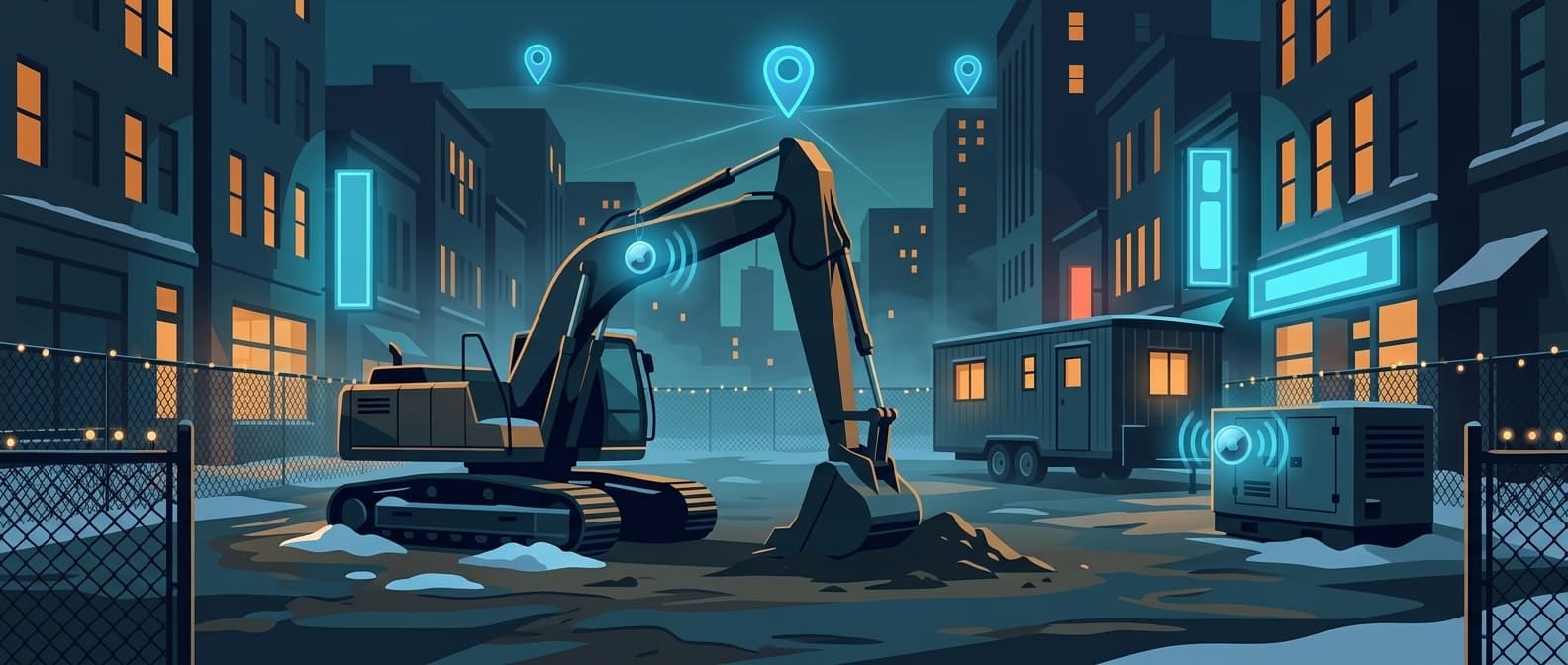
AirTag 2 on Construction Sites: What Works, What Doesn't
Equipment theft is the number every tracking vendor opens with, so it is worth knowing where it comes from. The National Equipment Register estimates the value of construction equipment stolen in the United States each year at somewhere between $300 million and $1 billion. The heavy equipment theft report that NICB and the National Equipment Register produce from National Crime Information Center filings counted 11,625 thefts in 2014, against 11,486 the year before, and found that 23 percent of that equipment was recovered.
That dataset is a decade old and machine values have climbed since, so take it as the shape of the problem rather than this year's scoreboard. The shape has not moved much: roughly four out of five stolen machines never come back.
This page is not a field study. I have not run a controlled six site deployment and I am not going to invent one. What follows is how AirTag 2 and Apple's Find My network actually behave, applied to six situations that come up on job sites, using our own platform numbers where I have them and qualitative reasoning where I don't.
What AirTag 2 Fixed for Construction
The original AirTag had two problems on a job site.
The speaker was the first. Cult of Mac measured the original at 66 dB and AirTag 2 at 87 dB using a sound meter app, which tracks with Apple's own claim that the new tag is 50 percent louder and audible from up to 2x farther. 66 dB is conversation volume, useless next to a diesel engine or a concrete saw. 87 dB is closer to heavy traffic. You can hear that through a tool bag or from inside a gang box with a generator running nearby.
Precision Finding range was the second. Apple says the new AirTag guides you to a lost item from "up to 50 percent farther away than the previous generation". Apple has never published a meter figure for either generation, so that is a ratio and nothing more. On a site it is the difference between walking every row of a laydown yard and picking up a directional arrow partway down it.
The third change is the one field crews notice. Precision Finding now runs on Apple Watch Series 9 or later and Ultra 2 or later. A superintendent wearing a watch can walk down a tagged generator without digging a phone out of a jacket. Gloves stay on.
| Feature | AirTag 1 | AirTag 2 |
|---|---|---|
| Speaker volume | 66 dB measured | 87 dB measured |
| Precision Finding range | Baseline | Up to 50% farther (Apple) |
| Apple Watch Precision Finding | No | Yes (Series 9+, Ultra 2+) |
| Price | $29 | $29, or $24.75 each in 4-packs |
What the Reporting Cadence Actually Looks Like
An AirTag has no GPS and no radio of its own beyond Bluetooth. It broadcasts a rotating identifier, and any Apple device that hears it uploads an encrypted location report. Apple describes the Find My network as "a crowdsourced network of over a billion Apple devices". Your location history is really a history of other people's iPhones walking and driving past your equipment.
That makes cadence measurable, and it is the one place I can hand you hard numbers. Across our fleet, Airpinpoint ingests about 280,000 location reports a day. The median tracked tag accounts for roughly 96 of them, one report every 15 minutes or so. The top decile clears 250 a day. The busiest tags run past 1,000, about one every 90 seconds (Airpinpoint production data, September 2026).
Nothing about the hardware explains that spread. The tags are identical. What differs is how many Apple devices pass within Bluetooth range over the course of a day. Hold onto that, because it decides which of the six scenarios below works and which one disappoints you.
Scenario 1: Foundation Drilling Equipment
Drilling rigs, augers, and crane attachments sit in place for weeks during the foundation phase. High value, slow to move, and usually parked overnight behind a chain link fence and not much else.
Mounting is most of the job here. A tag stuck to the outside of a rig is a tag a thief peels off in the first parking lot. Inside a cab compartment, bolted behind an access panel, or zip tied into a hydraulic hose bundle all force a thief to bring a tool. Ruggedized mounts from CASEBUDi or Elevation Lab's TagVault run $5 to $15 and earn it on machines that live outdoors.
Where this works: a rig on a suburban site within sight of a road collects reports all day off commuter traffic, with nobody doing anything.
Where it doesn't: the same rig 40 minutes down a dirt road, out of sight of any through road, can go most of a day between reports because nothing with an Apple logo drives past. The tag has not failed. There is simply nobody to hear it.
The cost case is what usually decides it anyway:
| Tracking method | Published cost per device | 50 devices, first year |
|---|---|---|
| Samsara / Verizon Connect style telematics | $25-45/month list pricing | $15,000-27,000 |
| AirTag 2 + Airpinpoint | $24.75 hardware plus $11.99/month | About $8,400 |
After year one the AirTag side drops to the subscription alone, about $7,200 for those 50 machines, with no contract. Cellular telematics buys you something real for that premium, including onboard diagnostics, engine hours, and a location that does not depend on strangers walking by. The question is whether you need that on all 50 machines or on six of them.
Scenario 2: Demolition Site Equipment Dispersal
Demolition contractors move equipment constantly. One project can put machines at three addresses in a week as teardown walks across a campus. Knowing which excavator is at which address is a logistics problem well before it is a theft problem.
A dashboard showing every machine across every address turns "where did the breaker go" from a round of phone calls into a glance. This is the unglamorous version of equipment tracking and it is the version that pays for itself. Theft gets the headlines. Day to day location of machines nobody stole, only moved, is where the recovered hours actually come from.
One caveat belongs next to that. The map shows you where the machine was when an Apple device last heard it. On an active demo site with crews and phones everywhere, that is minutes ago. On a fenced staging lot after everyone goes home, it is whenever the last truck pulled out.
Scenario 3: Multi-Site General Contractor
A GC running five to eight active sites has the hardest version of this problem. Compressors, generators, and scaffolding get borrowed off one site to cover a shortage at another, and nobody logs the transfer. The company then rents a replacement for equipment it already owns and cannot locate.
Tagging the fleet does not stop the borrowing. It makes the borrowing visible, which is enough. A foreman who can see three idle company generators on a dashboard does not call the rental yard.
Geofences are the piece people misunderstand, so here is exactly how ours behave. Airpinpoint re-checks geofence state on a five minute cycle, and a tag only flips from inside to outside when the seven most recent reports all agree it is on the new side. That hysteresis exists because one stray report relayed from a phone two blocks away would otherwise page you at 2 a.m. every night for a month. The cost of it is latency. Near a populated area, expect the alert 15 to 40 minutes after the machine actually crossed the line. On a tag reporting at the median cadence, closer to an hour and a half. On a site with no foot traffic at all, the alert waits until somebody walks past. Anyone promising you instant Bluetooth geofencing is describing a different product.
Scenario 4: Generator and Compressor Yards
Generators are an obvious target. A portable unit is a few thousand dollars, a towable is well into five figures, two people can load the small ones onto a pickup, and the resale market does not ask hard questions.
Placement decides whether the tag survives contact with a thief. Outside mount, and anyone who knows to look will find it. Three positions worth considering:
| Mounting position | Concealment | What to watch |
|---|---|---|
| Inside air filter housing | Needs a screwdriver to reach | Dust ingress. Check the tag at service intervals |
| Under fuel tank skid plate | Good, invisible from standing height | Vibration on the adhesive. Use an industrial mount, not a keyring loop |
| Inside electrical panel cover | Moderate | Heat on a unit that runs all day. CR2032 cells dislike sustained heat |
To be clear about what that table is: placement logic, not durability results. I have no 60 day teardown data to give you, and neither does anyone else selling you a mount. If you want an answer for your own yard, put one tag in each position on three machines, then open them up in two months and look.
Scenario 5: Tool Crib Management
A crib holding 500 hand and power tools is where this stops being cheap. Five hundred tags at the four-pack price is about $12,400 in hardware, and at $11.99 per device per month the subscription across all 500 lands near $72,000 a year. Nobody should do that.
The tag has to be worth a real fraction of what it protects, which in practice means the tools in the several hundred dollar range and up: rotary hammers, total stations, laser levels, threading machines, large cordless kits. Rather than trusting a rule of thumb about which fraction to tag, put your crib in a spreadsheet sorted by replacement cost. The cut line is usually obvious once the numbers are in front of you.
Milwaukee ONE-KEY comparison: if your crew runs all Milwaukee, ONE-KEY gives you tool configuration (torque settings, speed profiles) alongside tracking, which AirTag cannot touch. But ONE-KEY location depends on other ONE-KEY app users relaying a ping. On a site where only your crew runs Milwaukee and nobody else has the app installed, a stolen tool goes dark the moment it leaves. AirTag rides a network of over a billion Apple devices instead, which is why a tag sitting in a pawn shop keeps reporting every time a customer walks through the door.
DeWalt Tool Connect has the same structural limit. Both are good at managing tools inside your own fleet and weak at finding them after they leave it.
Scenario 6: Trailer Fleet
A trailer is the easiest thing on your site to steal. No key, no ignition, no immobilizer. Back up, hitch, drive away.
It is also the best case for the Find My network, for the same reason a tag in a commuter's backpack reports constantly: a trailer spends its life near roads. The tags on our platform that clear 1,000 reports a day are running at that rate because of where they are, not what they are, and a trailer moving down a highway is surrounded by exactly the thing the network runs on.
Good positions are the tongue box, behind a license plate holder, or a magnetic mount inside a hollow frame channel. All three keep the tag out of a casual search and out of the weather.
Set expectations on what you get back, though. A stolen trailer produces a trail of points, not a live feed, and the gap between points depends entirely on where it is. That is enough to give police a direction and a recent address. It is not enough to follow somebody in real time, and you should not try. Hand it to the police.
Deployment Guide: 100+ Tags Across Multiple Crews
Going from one tag on a toolbox to a fleet wide system takes structure.
Step 1: Register every tag to one Apple Account connected to your Airpinpoint account. Tags scattered across crew members' personal Apple Accounts produce a system nobody can manage or hand off.
Step 2: Name tags on a convention. Format: [SITE CODE]-[EQUIPMENT TYPE]-[NUMBER], so NW3-GEN-04 is the fourth generator at the Northwest 3rd project. Airpinpoint adds custom fields, photos, and notes past what the Find My name field holds.
Step 3: Schedule battery replacements. A CR2032 in an AirTag runs about a year. Put a calendar reminder at ten months and swap the whole fleet at once. A dead tag is worse than no tag because it leaves you believing you have coverage. Bulk CR2032s cost pennies next to the hour of labor.
Step 4: Mount for concealment, not convenience. Every tag should need a tool to remove. If it comes off by hand, it will.
Step 5: Waterproof anything that lives outside. AirTag is IP67 rated, meaning one meter of water for 30 minutes, not indefinite driving rain, standing water, or a pressure washer aimed at it. A case adds $5 to $15 and buys you years.
The Rural Coverage Gap (And When to Use GPS Instead)
Everything above runs on the same mechanism, so the failure mode is the same everywhere: no passing Apple devices, no updates. In a city or a suburb a tag gets heard constantly. Along a highway, traffic does the work. On a pipeline job 50 miles from the nearest town, equipment can sit for a day or more between reports, and a geofence alert has nothing to fire on until a truck rolls through.
That is not a defect you can configure around. It is the design. For genuinely remote sites, cellular trackers with satellite fallback are the correct tool and worth their monthly cost.
Most contractors are not choosing one or the other. Run AirTag 2 on the large share of equipment that spends its life in metro areas, suburbs, yards, and trucks, and put cellular units on the handful of machines that deploy somewhere nobody drives past. Paying telematics pricing across an entire fleet to cover the few assets that actually need it is the mistake worth avoiding.
The Recovery Case Everyone Cites, And Whose It Actually Is
In May 2024, Howard County police in Maryland announced they had recovered roughly 15,000 stolen construction tools worth an estimated $3 million to $5 million. The thread came from a victim in Virginia who, after repeated break-ins, hid tracking tags in his larger tools. When the thieves returned that January, the tags led detectives to a storage unit in Elkridge. Police executed 12 search warrants, 11 of them in Howard County, and identified about 80 victims with more expected (CBS News Baltimore, Washington Post).
That is a reported news case, not an Airpinpoint customer and not our data. It is worth knowing anyway because of what it demonstrates: a tag does not have to report continuously to be useful. It has to report once, from an address a detective can get a warrant for.
The counterweight belongs in the same section. Apple built unwanted tracking alerts into the network on purpose, to protect people from being followed. An AirTag traveling with someone who is not its owner will eventually trigger an unknown tracker alert on their iPhone, Android has had equivalent detection built in since 2024, and a separated tag plays a sound on its own. A thief paying attention can find your tag and drop it in a ditch. That does not make tagging pointless. It makes a tag a tripwire rather than a leash, and you should plan around it by hiding tags well and tagging more than one item per load.
From Individual Tags to Fleet Visibility
A single AirTag in Find My is one dot on a map. That is the right amount of software for a set of keys. It is the wrong amount for a contractor holding 50 to 500 assets across multiple sites and crews.
Airpinpoint is the layer on top: one dashboard covering every tagged asset on every site, location history you can audit when a machine goes missing, and geofence alerts when something leaves a job site after hours, with the timing caveats spelled out in Scenario 3. Pricing is $11.99 per device per month, no contract and no hardware lock-in, on top of $29 tags you buy from Apple.
Whether that pays depends on numbers you already have. Count what you lost to theft last year, then add what you spent renting equipment you owned and could not find. For most contractors the second number is the larger one.
FAQ
How often does an AirTag update on a construction site?
There is no fixed interval. The location changes only when a passing Apple device hears the tag and uploads a report. Across our fleet the median tag logs about 96 reports a day, roughly one every 15 minutes, while the busiest exceed 1,000 and quiet ones fall well below (Airpinpoint production data, September 2026). A site near traffic updates often. A fenced yard at the end of a dirt road updates when somebody drives in.
Will AirTag 2 work on a remote site with no cell service?
Partly. The tag itself never needed cell service; it talks Bluetooth to nearby Apple devices, which relay over their own connections. So a site with poor carrier coverage but regular crew traffic works fine. A site with nobody around does not, regardless of signal. If equipment sits somewhere nobody passes, a cellular or satellite tracker is the right purchase.
How fast will I get an alert if equipment leaves the job site?
Not instantly, and treat anyone who says otherwise with suspicion. Airpinpoint re-checks geofences every five minutes and only flips a tag's state once the seven most recent reports agree it has crossed. Near a populated area that usually means 15 to 40 minutes after the fact, around an hour and a half on a median-cadence tag, and longer where there is no foot traffic. The delay is deliberate; without it, a single relayed report from a block away would generate false alarms nightly.
Can a thief find the AirTag I hid in my equipment?
Yes, if they are paying attention. Apple's unwanted tracking alerts will warn an iPhone user that an unknown tag is moving with them, Android has had the same detection since 2024, and a tag separated from its owner eventually plays a sound. Hide tags where removal requires a tool, and put more than one on anything valuable enough to care about.
Is AirTag 2 loud enough to hear on a job site?
Much closer than the original. Independent measurement puts AirTag 2 at 87 dB against 66 dB for the first generation, and Apple says it is audible from up to 2x farther. That is enough to pick out through a tool bag or inside a gang box with a generator running nearby. It is still not going to beat a running concrete saw standing next to you.
Is AirTag 2 worth upgrading from the original for construction?
For a fleet you are buying now, yes, since both cost $29. For tags already mounted and working, the upgrade is worth it where you actually walk the site to find things, because the louder speaker and longer Precision Finding range are what shorten that search. If your tags mostly answer "which address is it at," the original hardware reports to the same network and gives you the same answer.
Apple stops at 32 AirTags per account
Airpinpoint tracks unlimited tags in one dashboard, with location updates about every 5 minutes, geofence alerts, and a REST API, from $11.99 per tag per month.
Free to start. Works with the AirTags you already own. 6,700+ tags under management.
